
For most UK small businesses working with an accountant, Dext is the strongest overall pick for dedicated expense capture, while Xero and QuickBooks lead when you want a full accounting suite with built-in expense tools. The shortlist below is built around one test: does the app produce HMRC-ready records your accountant can actually use without spending an hour cleaning up VAT codes and mileage entries?
HMRC alignment and accountant integration are the two factors that separate a useful app from an expensive distraction. An app that misreads VAT rates or ignores HMRC’s Approved Mileage Allowance Payment rates creates more work at year-end, not less. Before committing, trial your shortlisted app with real receipts and confirm your accountant can access or import the data directly.
Quick shortlist:
- Best overall: Dext (Receipt Bank) for bookkeeping first workflows
- Best for sole traders: FreeAgent or Zoho Expense
- Best specialist OCR/HMRC mapping: Expensify or Dext
- Best full suite: Xero or QuickBooks (UK)
- Best for growing teams: Rydoo
Key takeaways
The single most important decision is whether your chosen app integrates directly with your accountant’s software and produces HMRC-ready VAT and mileage records without manual correction.
| Point | Details |
|---|---|
| HMRC alignment is non-negotiable | Your app must apply AMAP rates (45p/25p) and correctly extract VAT at 20%, 5% and 0%. |
| Accountant integration beats price | A cheaper app that exports messily costs more in accountant time than a pricier one that syncs cleanly. |
| Trial with real data | Run a five-day trial using actual receipts and ask your accountant to verify one VAT mapping before committing. |
| Match app to business type | Sole traders suit FreeAgent or Zoho Expense; growing SMEs suit Xero or Rydoo; bookkeeping-first workflows suit Dext. |
| Concorde Company Solutions Limited | Offers software setup, accountant integration and HMRC compliance support from Garforth, Leeds. |
Table of Contents
- Which expense tracking apps compare best for UK bookkeeping?
- What does each app actually do, and who should use it?
- How do you choose the right expense app for your business?
- What HMRC rules affect your choice of expense app?
- Why testing integrations first is the only advice that matters
- Concorde Company Solutions Limited: software setup and bookkeeping for UK small businesses
- Sources
Which expense tracking apps compare best for UK bookkeeping?
Pricing ranges from free tiers to over £100 per month for premium accounting suites; specialist apps typically start around £5–£8 per user. The table below covers the seven apps the SERP consensus consistently features for UK small businesses.
Note on pricing shapes: Full accounting suites (Xero, QuickBooks, FreeAgent) bundle expense tools within a broader monthly subscription. Specialist apps (Dext, Zoho Expense, Expensify, Rydoo) charge per user or per document, which can be cheaper for small teams but adds up quickly at scale. See common pricing structures for UK small business tools for further context.
What does each app actually do, and who should use it?
Xero
Xero is a full accounting suite with built-in expense claims, bank feeds and MTD VAT filing. Its expense module handles AMAP mileage, multi-currency, and multi-user approval workflows. Best for growing SMEs that want one platform for accounting, payroll and expenses. Pricing starts at £16/month; the expense module is an add-on on lower tiers.
- Pros: Accountant-native, MTD-ready, strong bank reconciliation, huge integration ecosystem
- Cons: Expense module costs extra on Starter plan; can feel heavy for a sole trader with ten receipts a month
QuickBooks (UK)
QuickBooks combines bookkeeping, VAT returns and expense capture in one place. Receipt scanning via the mobile app is reliable, and the Self Assessment features suit sole traders filing SA100/SA103. From £14/month, with accountant access built in.
- Pros: SA103 category mapping, strong mobile OCR, MTD-ready, good accountant portal
- Cons: Pricing rises quickly with add-ons; some users find the interface cluttered
FreeAgent
FreeAgent is built for freelancers and sole traders, with automatic tax timeline reminders and SA103 expense categorisation baked in. NatWest and RBS business account holders get it free, which makes it genuinely hard to beat at that price point. Zoho Books offers a comparable MTD-ready suite for sole traders who want a free starting tier.
- Pros: SA103 mapping, tax timeline, free with certain bank accounts, clean interface
- Cons: Less powerful for multi-user teams; approval workflows are basic
Zoho Expense
Zoho Expense sits within the broader Zoho ecosystem and integrates with Zoho Books, Xero and QuickBooks. The free tier covers up to three users, which suits micro-businesses. VAT capture and HMRC category mapping are solid; the mobile app is one of the better ones in this group.
- Pros: Free tier, strong mobile OCR, good approval workflows, integrates with major accounting packages
- Cons: Full HMRC features require a paid plan; Zoho ecosystem lock-in is a consideration
Expensify
Expensify’s SmartScan OCR is genuinely impressive, reading receipts accurately even from crumpled paper. It maps expenses to HMRC categories and supports AMAP mileage. Tools that auto-extract VAT and map to SA103 categories are particularly valuable at year-end, and Expensify does this well. Best for multi-user teams that need corporate card controls and approval chains.
- Pros: Best-in-class OCR, strong approval workflows, corporate card support, integrates with Xero/QuickBooks/Sage
- Cons: Free tier is limited; pricing scales per user, which adds up for larger teams
Dext (Receipt Bank)
Dext is the accountant’s favourite for a reason: it was built to feed clean, categorised data directly into Xero, QuickBooks, Sage and FreeAgent. The OCR accuracy is consistently high, and the accountant portal gives your bookkeeper or accountant direct access without needing to chase exports. Most accountants who use Dext buy it as part of their own practice plan and pass access to clients.
- Pros: Best accountant integration, excellent OCR, HMRC category mapping and audit trail
- Cons: Pricier than standalone apps; less useful if your accountant doesn’t already use it
Pro Tip: Ask your accountant before choosing. If they use Dext or have a Xero/QuickBooks practice licence, you may get access at a reduced rate or free as part of their service.
Rydoo
Rydoo targets growing teams that need structured approval workflows and corporate card management. AMAP mileage tracking, VAT capture and multi-currency support are all present. At around £10 per user per month, it sits between the free tiers and premium suites. Tax-year filtering and HMRC category exports are features worth confirming during any trial.
- Pros: Strong approval workflows, corporate card controls, good integrations
- Cons: Per-user pricing makes it expensive for larger teams; less suited to sole traders
How do you choose the right expense app for your business?
Prioritise HMRC compatibility, accountant-facing exports and ease of bank feed reconciliation. Price matters, but as Wise’s UK small business guide notes, features and integrations drive the real bookkeeping cost. A cheaper app that produces messy data costs more in accountant time than a slightly pricier one that exports cleanly.
Questions to ask during any trial:
- Does it integrate directly with your accountant’s software (Xero, QuickBooks, FreeAgent, Sage)?
- Does VAT extraction correctly identify 20%, 5% and 0% rates on real receipts?
- Does mileage tracking use HMRC AMAP rates (45p/25p) automatically?
- Does it retain receipt images for the HMRC-required six years?
- Can your accountant access data directly, or do you need to export manually?
- Does it support approval workflows if you have employees submitting claims?
- What export formats does it produce (CSV, Excel, direct API sync)?
Decision by business type:
- Sole trader: FreeAgent (especially free via NatWest/RBS), Zoho Expense free tier, or QuickBooks Simple Start
- Micro-business (2–5 people): Zoho Expense, Expensify, or Dext if your accountant recommends it
- Growing SME: Xero with expense module, or Rydoo for structured approvals
- Multi-user teams: Expensify or Rydoo for corporate card controls and approval chains
Pro Tip: Run a five-day trial using real receipts from the past month. Ask your accountant to check one VAT return mapping and one mileage claim before you commit. That single test will tell you more than any feature list.
For a practical walkthrough of how to track business expenses effectively, Concorde Company Solutions Limited has published a step-by-step guide covering categorisation, bank feeds and year-end handover.
What HMRC rules affect your choice of expense app?
The concrete figures matter here. HMRC’s AMAP rates are 45p per mile for the first 10,000 miles and 25p per mile thereafter for cars and vans.
Key HMRC requirements your app must handle:
- VAT extraction: Correctly identifies standard (20%), reduced (5%) and zero-rated (0%) VAT from receipts; tools that map expenses to SA103 categories and store receipts with a digital audit trail are particularly useful at Self Assessment time
- HMRC-aligned expense categories: SA100/SA103 mapping for sole traders; correct nominal codes for limited companies
- Digital record retention: HMRC requires records kept for at least six years; your app must store receipt images, not just transaction data
- AMAP mileage: The 45p/25p split must be applied per journey, not averaged across the year
- VAT registration threshold: Currently £90,000 turnover; once registered, VAT-accurate receipt capture becomes non-negotiable
- Making Tax Digital: MTD for VAT is already live; MTD for Income Tax Self Assessment is expanding; your app should produce MTD-compatible records
Tools like PocketReceipt and BFSB offer tax-year filtering and HMRC category exports that make sole trader Self Assessment considerably less painful.
Concorde Company Solutions Limited helps clients configure HMRC-ready exports and checks VAT and OCR accuracy before filing, so errors are caught before they reach a return.
Why testing integrations first is the only advice that matters
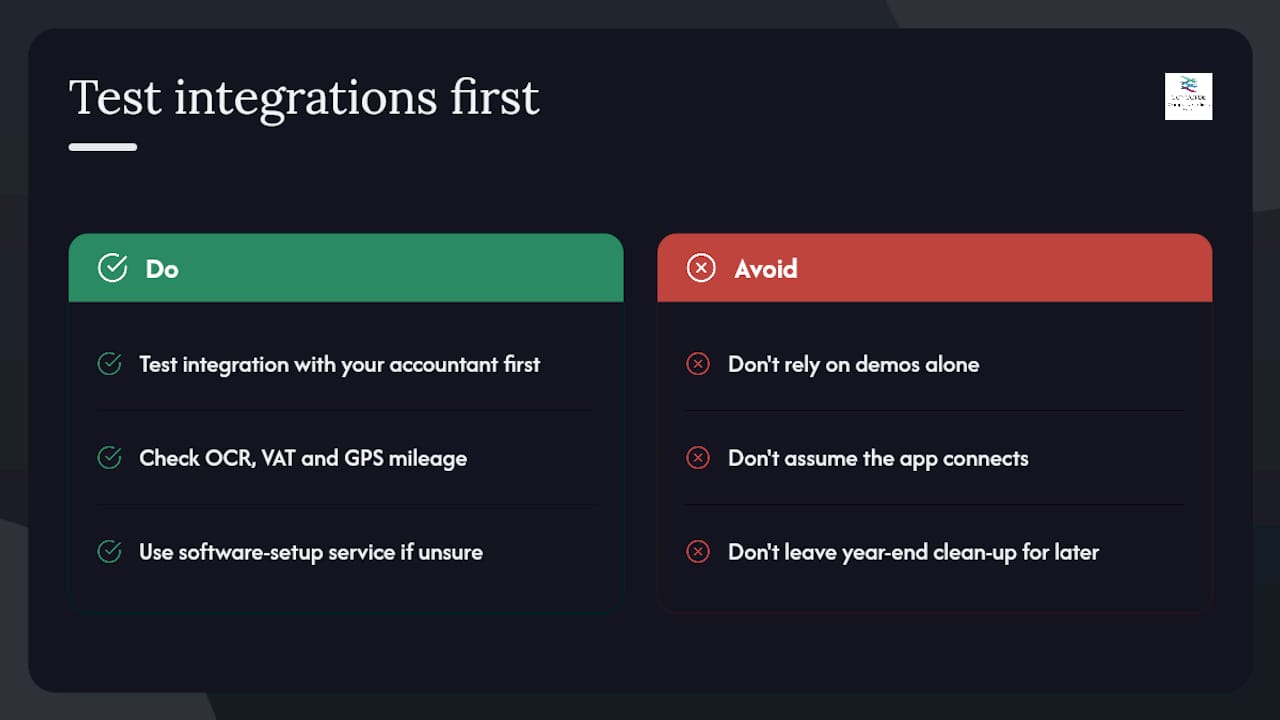
Most accountants will tell you the same thing: the app that looks best in a demo is rarely the one that causes the fewest problems at year-end. VAT misreads on complex invoices, GPS mileage that rounds incorrectly, and OCR that misses the supplier name on a crumpled receipt, these are the issues that create extra work when it matters most.
At Concorde Company Solutions Limited, based at 20b Main Street, Garforth, Leeds, we see this pattern regularly. A client arrives with twelve months of expense data in an app that doesn’t connect to their accounting software, and the year-end clean-up takes hours. The fix is always the same: test the integration with your accountant before you commit, not after.
Concorde is the number one choice in Garforth, Leeds for small business bookkeeping, software setup and payroll management. We offer software setup as a standalone service, so if you’re unsure which app fits your workflow, contact us for a guided recommendation before you start a trial.
Concorde Company Solutions Limited: software setup and bookkeeping for UK small businesses
Choosing the right app is only half the job. Getting it configured correctly, connected to your accounting software, and producing HMRC-ready exports from day one is where most small businesses lose time.

Concorde Company Solutions Limited, Garforth’s leading accountancy firm, offers accounting software setup as part of its bookkeeping and compliance service. That means we connect your chosen expense app to Xero, QuickBooks or FreeAgent, check VAT extraction settings, configure AMAP mileage, and give your accountant direct access from the start. We also handle payroll management and MTD compliance, so your entire financial workflow sits in one place with one trusted team.
Contact Concorde Company Solutions Limited for a free initial software review and a local, Garforth-based recommendation matched to your business type.
Sources
The figures and claims in this article draw on the following authoritative sources:
- Expense Tracker UK — HMRC-Compliant AI Tracking | ExpenseBot
- CONCORDE COMPANY SOLUTIONS LIMITED — Companies House
No responses yet