If your gross rental income (plus any self-employment income) exceeded the relevant threshold in the 2024/25 tax year, Making Tax Digital for Income Tax applies to you from 6 April 2026. The single most important action right now is to check your qualifying income and confirm your personal start date using HMRC’s online tool.
Three things to do immediately:
-
Work out your qualifying income — add your gross property income and any self-employment turnover before expenses from your last Self Assessment return
-
Check your start date on the HMRC eligibility tool so you know exactly when you must be compliant
-
Choose MTD-compatible software or appoint an agent who can set up and file on your behalf before your first quarter begins
MTD for landlords is not optional once you cross the threshold. HMRC’s step-by-step guidance confirms that from 6 April 2026, compatible software must be used to keep digital records, send quarterly updates, and submit the final declaration.
Key takeaways
MTD for Income Tax applies to landlords with qualifying gross income above £50,000 from April 2026, with lower thresholds following in 2027 and 2028, requiring digital records, four quarterly updates, and a final declaration by 31 January each year.
| Point | Details |
|---|---|
| Qualifying income test | Add gross property and self-employment income before expenses; use your 2024/25 Self Assessment return as the measure. |
| Staged rollout dates | £50,000 threshold from April 2026; £30,000 from April 2027; £20,000 from April 2028. |
| Record-keeping and retention | Keep digital records of every income item and expense; retain for at least five years from the 31 January filing deadline (seven years recommended). |
| Sign up and software | Choose HMRC-recognised software, connect it to your Government Gateway account, and sign up via GOV.UK before your first quarter begins. |
| Concorde Company Solutions Limited | Garforth’s leading accountancy practice offers MTD setup, quarterly filing, and ongoing landlord compliance support across Leeds and the UK. |
Table of Contents
- Does MTD for Income Tax apply to you as a landlord?
- Which rental income counts towards the threshold?
- When do you need to start? The staged rollout explained
- How quarterly updates and the final return work
- What digital records must landlords keep?
- How to choose MTD-compatible software
- How to sign up for MTD for Income Tax
- Joint landlords and the MTD easement
- Penalties for non-compliance and who can be exempt
- How Concorde Company Solutions Limited helps landlords with MTD
- Five things Concorde tells every landlord starting MTD
- MTD compliance sorted: talk to Concorde today
- Sources
Does MTD for Income Tax apply to you as a landlord?
How qualifying income is defined
Qualifying income is the combined gross turnover from property letting and self-employment, measured before any expenses are deducted. HMRC uses your previous year’s Self Assessment return as the measuring stick. If you have not yet filed a full year’s return (for example, you became a landlord recently), HMRC will annualise your income to project what a full year would look like. That annualisation can pull you into MTD earlier than you might expect.
Whose income counts
Each person is assessed individually. If you own a property jointly, HMRC looks at your share of the income, not the total rent the property generates. A 50/50 joint owner of a property generating £80,000 gross rent has qualifying property income of £40,000 from that source. Add any self-employment turnover and that is the figure tested against the threshold.
Worked examples
-
Sole landlord: Sarah owns three buy-to-let properties. Her gross rental receipts in 2024/25 were above the £50,000 threshold. She has no self-employment income. Her qualifying income exceeds the threshold. She must comply from 6 April 2026.
-
50/50 joint owner: Mark and his wife own a property together generating £70,000 gross rent. Each holds a 50% beneficial share, so each has £35,000 of qualifying property income. Neither crosses the £50,000 threshold from this property alone. If Mark also runs a self-employed consultancy with £18,000 turnover, his combined qualifying income is £53,000 and he is in scope from April 2026. His wife, with only £35,000, is not in scope until the threshold drops to £30,000 in April 2027.
-
New landlord: James started letting a property in January 2025 and received £6,000 in rent before 5 April 2025. HMRC annualises this: £6,000 divided by three months, multiplied by twelve, gives projected annual income of £24,000. He falls below the current threshold but should monitor his position as thresholds reduce.
Pro Tip: Use the HMRC qualifying income tool rather than estimating manually. It accounts for annualisation and ceased sources, both of which trip people up.
Which rental income counts towards the threshold?
Getting the qualifying income calculation right matters more than most landlords realise. The test is gross receipts, not profit, so a landlord with high rents and heavy mortgage interest costs can still be caught even if their taxable profit is modest.
What to include
What to exclude or treat carefully
- PAYE employment income is never included in qualifying income for MTD purposes, regardless of how large it is
- Rental income received by a limited company does not count; MTD for Income Tax applies to individuals, not companies
- Rent-a-Room income up to £7,500 is exempt from income tax and excluded from qualifying income
- Overseas property income currently sits outside the MTD for Income Tax regime for most landlords, though HMRC’s position may evolve
- Ceased sources: if you have stopped letting all properties since your last return, notify HMRC before the start of the next tax year to avoid being mandated unnecessarily
One point that catches landlords out: letting agent statements show net amounts after the agent’s fees are deducted. Your qualifying income is the gross rent, not the net figure on the statement. Always gross up from the agent statement or use the rent schedule. Understanding what appears on property management disbursement statements helps you identify every receipt that belongs in the calculation.
When do you need to start? The staged rollout explained
HMRC is phasing MTD for Income Tax in over three years, with the highest earners mandated first.
The three threshold dates
- 6 April 2026: Qualifying income above £50,000 in the 2024/25 tax year
- 6 April 2027: Qualifying income above £30,000 (measured from the 2025/26 return)
- 6 April 2028: Qualifying income above £20,000 (measured from the 2026/27 return)
Key figure: From April 2026, landlords and sole traders with qualifying income above £50,000 must use MTD-compatible software to keep digital records and submit quarterly updates to HMRC.
How to confirm your personal start date
- Locate your 2024/25 Self Assessment return (or your 2025/26 return for the April 2027 cohort)
- Identify your gross property income and gross self-employment turnover before expenses
- Add them together to get your qualifying income figure
- Use the HMRC eligibility checker to confirm your mandation date
- Watch for a letter from HMRC confirming your start date; these typically arrive several months before the relevant April
What to have ready before your first quarter
Your first quarterly update covers 6 April to 5 July 2026 and must be submitted by 7 August 2026. That means software must be set up, bank feeds connected, and opening records entered before April. Leaving it until June is too late to catch the first deadline cleanly.
How quarterly updates and the final return work
MTD replaces the single annual Self Assessment return with four quarterly updates plus a final declaration. The quarterly updates are not full tax returns; they are summaries of income and expenses for each quarter.
What you report each quarter
- Gross rental income for the period (total receipts, not net of expenses)
- Allowable expenses by category (repairs, insurance, letting agent fees, mortgage interest separated as a finance cost, and so on)
- Three-line summary option: landlords using the simplified easement report total income, total expenses, and net profit without a full category breakdown
The quarterly update does not trigger a tax payment. It is a data submission that feeds into your running tax calculation.
Quarterly deadlines
| Quarter | Period covered | Submission deadline |
|---|---|---|
| Q1 | 6 April – 5 July | 7 August |
| Q2 | 6 July – 5 October | 7 November |
| Q3 | 6 October – 5 January | 7 February |
| Q4 | 6 January – 5 April | 7 May |
| End-of-period statement | Full tax year | 31 January (following year) |
| Final declaration | Confirms all income sources | 31 January (following year) |
| Balancing payment | Tax owed for the year | 31 January (following year) |
How a quarter flows into the final declaration
Say your Q1 submission shows £13,500 gross rent and £4,200 allowable expenses. Your software records this and carries it forward. By Q4, your software has accumulated all four quarters. You then complete the end-of-period statement, which is where you make any adjustments (capital allowances, prior-year corrections, overlap relief). The final declaration pulls all income sources together — property, self-employment, savings, dividends — and produces the tax calculation. The balancing payment is due by 31 January, the same date as now.

Pro Tip: Treat each quarterly submission as a mini month-end. Reconcile your bank feed, categorise transactions, and submit. Doing it in one sitting per quarter takes far less time than reconstructing a year’s records in January.
What digital records must landlords keep?
The mandatory checklist
Under MTD, every income and expense item must be recorded digitally in HMRC-recognised software. The statutory retention obligation under TMA 1970 s.12B treats landlords as running a business for record-keeping purposes.
Records you must keep digitally:
- Date and amount of every rental receipt, identified by property and tenant
- Every allowable expense with the date incurred, amount, and category
- Letting agent statements (gross rent, fees, and net remittance)
- Mortgage interest and finance costs (separated from other expenses)
- Insurance premiums and renewal documents
- Repair and maintenance invoices
- Capital expenditure records (for capital gains tax purposes on eventual disposal)
- Bank statements showing rental account transactions
Record dating and the cash basis
Most landlords use the cash basis by default. Under cash basis, you record income on the date it is received and expenses on the date paid. If a tenant pays January’s rent in December, it goes in December’s records. Keep the date consistent with your bank statement.
Correcting errors in earlier quarters
If you spot a mistake after submitting a quarterly update, you can amend it through your software. The correction flows automatically into the end-of-period statement and then into the final declaration. HMRC does not require a separate amendment form; the software handles it. Do not simply adjust a later quarter to compensate for an earlier error, as this distorts the quarterly data HMRC holds.
How long to keep records
The statutory minimum under TMA 1970 s.12B is five years from the 31 January submission deadline for the relevant tax year. For the 2026/27 tax year (final declaration due 31 January 2028), records must be kept until at least 31 January 2033. In practice, seven years is the sensible floor for landlords, because HMRC can open an enquiry up to six years after the filing date in cases of careless error, and property transactions often have long CGT tails.
Pro Tip: Name digital receipts consistently: “2026-06-15_Repairs_PropertyA_PlumberInvoice.pdf” is searchable in three years’ time. A folder called “Receipts” containing 400 unnamed JPEGs is not.
For itemised billing from letting agents, understanding how property management billing is structured makes it much easier to map each line to the correct expense category in your software.
How to choose MTD-compatible software
HMRC does not supply software. You must choose a product from the HMRC-recognised software list, which is updated regularly as new products gain approval.
What the software must do
- Keep digital records of income and expenses
- Preserve supporting documents (or link to a document store)
- Submit quarterly updates directly to HMRC by a digital link (no manual re-keying)
- Produce the end-of-period statement
- Submit the final declaration
- Handle ownership splits for joint landlords where relevant
Selection checklist for landlords
- Does it support property income specifically, or is it designed only for sole traders?
- Can it handle multiple properties with separate income and expense tracking per property?
- Does it support joint ownership splits?
- Does it offer bank feeds or Open Banking connections to your rental account?
- Does it apply the three-line accounts easement automatically?
- What is the monthly cost and is there a landlord-specific tier?
- Is there a mobile app for capturing receipts on the go?
- Does it support bridging (for landlords who prefer spreadsheets)?
Software options to consider
FreeAgent is popular with sole traders and small landlords. It handles quarterly submissions and has a clean interface, though landlord-specific features such as per-property tracking are worth checking against your portfolio size before committing.
QuickBooks (Intuit) appears on HMRC’s recognised product list and suits landlords who want a well-supported platform with strong bank feed integration. Its landlord-specific reporting depends on the subscription tier.
Xero is also listed on HMRC’s MTD software register and works well for landlords with more complex portfolios or those who already use Xero for another business. Check whether the plan you choose includes MTD for Income Tax submissions, as not all Xero tiers do.
Hammock is built specifically for landlords. It connects directly to rental bank accounts, tracks income and expenses by property, and is designed with the MTD quarterly cycle in mind. Worth serious consideration if your portfolio is residential and you want a purpose-built tool rather than a general accounting package adapted for property.
Bridging software and spreadsheets
If you prefer to maintain a spreadsheet, HMRC allows a bridging software approach. Your spreadsheet holds the records; the bridging tool reads the data via a digital link and submits the quarterly update to HMRC. The critical rule is that the transfer must be a digital link (an automated data connection, a formula pull, or an API call). Copying figures manually from a spreadsheet into the bridging tool breaks the digital link and puts you out of compliance. See the HMRC compliance checklist for a practical guide to software readiness.
Pro Tip: Ask any software vendor whether their MTD for Income Tax module is live and tested, not just “coming soon”. Several products are approved for MTD for VAT but have not yet completed the Income Tax approval process.
How to sign up for MTD for Income Tax
HMRC’s sign-up guidance sets out the enrolment steps and agent authorisation process. Follow these in order.
- Confirm your qualifying income using the HMRC eligibility tool and your 2024/25 Self Assessment return
- Choose your software from the HMRC-recognised list and set up your account within it
- Connect your software to HMRC using your Government Gateway credentials; the software will prompt you through the authorisation screens
- Sign up for MTD for Income Tax via GOV.UK; you will need your National Insurance number, UTR, and Government Gateway user ID
- Confirm your business details within the sign-up journey (property income, any self-employment sources, accounting period)
- Receive confirmation from HMRC that your enrolment is active; keep this for your records
Common pitfalls during enrolment
- Signing up before your software is connected causes the enrolment to fail or sit in limbo
- Using the wrong Government Gateway ID (some landlords have separate IDs for VAT and Self Assessment; use the Self Assessment one)
- Not updating your software subscription to the MTD-enabled tier before attempting to connect
Appointing an agent
If you want an accountant to file on your behalf, the agent must be authorised through HMRC’s agent services account. The process:
- Your agent sends you an authorisation request through their agent services account
- You approve it via your own Government Gateway account
- The agent can then submit quarterly updates and the final declaration on your behalf
- You can revoke access at any time through your Government Gateway settings
The landlord remains legally responsible for the accuracy of submissions even when an agent files. Appointing a good agent does not transfer liability; it transfers the administrative burden.
Joint landlords and the MTD easement
Joint ownership is the single most common source of confusion in MTD for Income Tax, and the ATT guidance on joint property owners is the clearest technical explanation available.
How HMRC assesses joint owners
Each owner files their own MTD submissions based on their share of the income. The property itself does not have an MTD obligation; the individual owners do. For married couples and civil partners, the default split is 50/50 unless a Form 17 declaration of beneficial interests has been filed with HMRC to reflect a different split. Unmarried joint owners are assessed on their actual beneficial share.
The joint-property easement
The joint-property easement reduces the quarterly reporting burden for landlords who own property jointly. Under the easement:
- Joint owners can report income only in their quarterly updates (deferring expense reporting to the end-of-period statement)
- This avoids the need to agree and split every expense item between owners every quarter
- The easement applies automatically; there is no formal opt-in form
The three-line accounts easement is a separate simplification that allows landlords (joint or sole) to report total income, total expenses, and net profit rather than a full category breakdown. Both easements can be used together.
Practical steps for co-owners
- Agree at the outset who keeps the master records and how expenses are shared
- Both owners need their own MTD-compatible software (or the same agent authorised for both)
- If you want to change the income split (for example, to reflect a change in beneficial ownership), you need a deed of trust or similar legal document and must file Form 17 with HMRC before the change takes effect
Pro Tip: If you and a co-owner use the same accountant, make sure both of you formally authorise the agent through your individual Government Gateway accounts. One authorisation does not cover both.
Penalties for non-compliance and who can be exempt
The points-based penalty system
HMRC operates a points-based penalty regime for missed quarterly submissions. Each missed submission adds one penalty point. At four points, a £200 financial penalty is charged. Points expire after a set period if you return to full compliance, but reaching the threshold triggers the cash penalty regardless.
Separate statutory penalties under TMA 1970 apply for failure to keep adequate records. These can reach £3,000 per tax year in serious cases.
Exemptions from MTD
HMRC recognises a narrow digital exclusion exemption for landlords who genuinely cannot use digital tools due to age, disability, remoteness, or religious belief. Claiming it requires a formal application and HMRC’s agreement. It is not a general opt-out for those who find technology inconvenient.
Reasonable excuse
If you miss a submission deadline, you can claim reasonable excuse to avoid a penalty point. HMRC accepts genuine emergencies (serious illness, bereavement, system failure beyond your control) but not administrative oversight or forgetting. The claim must be made promptly and supported by evidence. If you think you may have a reasonable excuse, seek professional advice before the deadline passes rather than after.
- Missing a deadline because your software crashed is potentially a reasonable excuse if you reported the issue and attempted to file
- Missing a deadline because you did not know about MTD is not
How Concorde Company Solutions Limited helps landlords with MTD
Concorde Company Solutions Limited is the number one accountancy practice in Garforth, Leeds, and has built a specific service offering for landlords navigating the MTD transition. Whether you own a single buy-to-let or a mixed portfolio, the firm handles the technical and compliance side so you can focus on managing your properties.
What Concorde does for landlords
- MTD software setup and configuration (including bank feed connections and property-level tracking)
- Ongoing bookkeeping and MTD support throughout the year
- Quarterly update preparation and submission on your behalf
- Agent authorisation setup through HMRC’s agent services account
- End-of-period statement and final declaration filing
- Bespoke landlord accounting, including joint ownership splits and easement applications
- Capital gains tax advice on property disposals
Typical onboarding for a new landlord client
Most landlords are fully set up within two to three weeks. The process starts with a review of your last Self Assessment return to confirm qualifying income and your mandation date. Concorde then selects and configures the right software for your portfolio, connects it to HMRC, and handles the agent authorisation. From that point, quarterly submissions are managed by the team with minimal input required from you.
For landlords who want to understand the full scope of Concorde’s landlord accounting services, the service page sets out what is included and how to get started.
Five things Concorde tells every landlord starting MTD
Most landlords approaching MTD for the first time treat it as a compliance headache. The ones who get through the transition smoothly treat it as an opportunity to finally have clean, real-time records of their portfolio. Here is the practical advice that makes the difference.
- Start before you have to. Waiting until April 2026 to set up software means your first quarter is already in progress when you begin. Set up in January or February so you have a clean start from 6 April.
- Tag every transaction by property from day one. Software that lets you allocate income and expenses to individual properties gives you data that is genuinely useful, not just compliant.
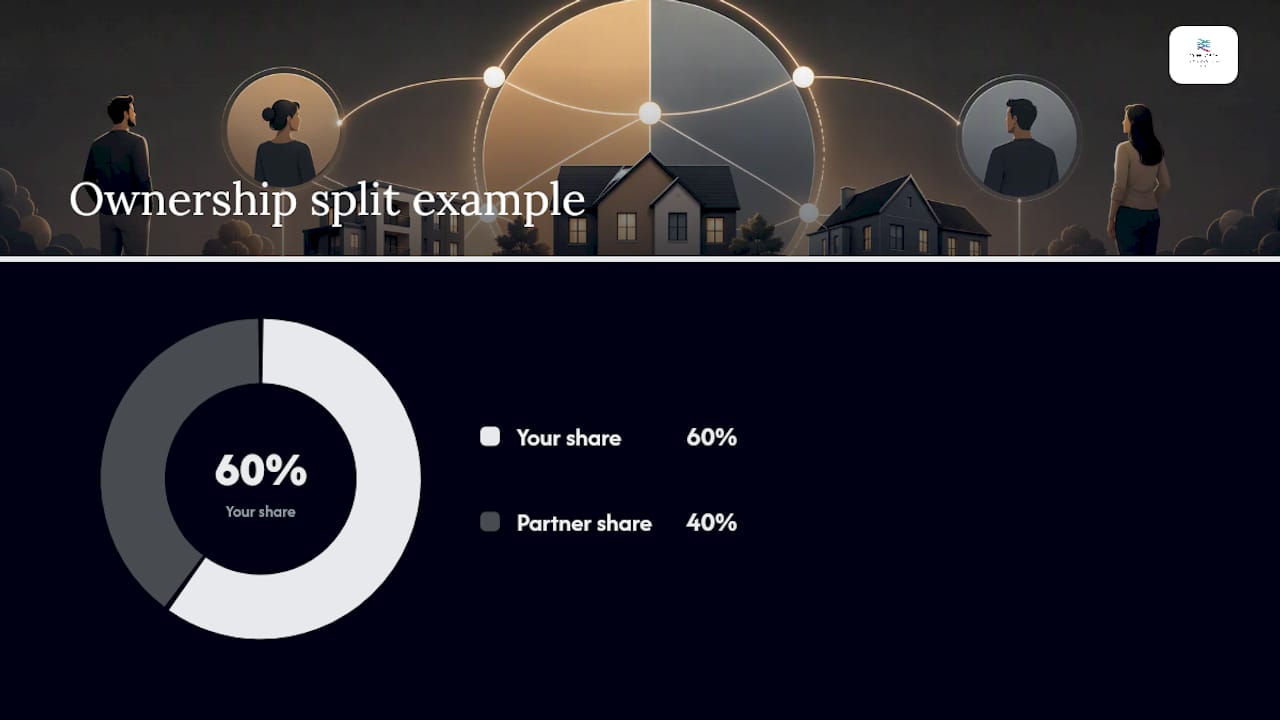
- Enter your ownership shares in the software correctly. If you own 60% of a property and your partner owns 40%, that split must be reflected in the software from the first transaction. Correcting it retrospectively is painful.
- Photograph receipts the day you receive them. A receipt photographed on the day it arrives is readable. One found at the bottom of a bag six months later often is not.
- Use a local agent who knows your situation. MTD is not just a software problem; it is a tax compliance problem. An agent who understands landlord-specific rules (finance cost restrictions, furnished holiday letting rules, joint ownership easements) saves you money as well as time.
Pro Tip: MTD is the best reason you will ever have to move from a shoebox of receipts to a proper digital bookkeeping system. The landlords who embrace that shift find their annual tax bill is lower because their records are accurate enough to claim every allowable expense.
MTD compliance sorted: talk to Concorde today
Concorde Company Solutions Limited offers a free initial consultation for landlords who want to understand their MTD obligations and get set up correctly from the start. As Garforth’s number one accountancy practice, the firm brings local knowledge and hands-on expertise to every landlord engagement.

What you get when you work with Concorde:
- A confirmed qualifying income calculation and mandation date check
- Software selection, setup, and HMRC connection handled for you
- Fixed monthly pricing with no hidden extras
- Quarterly submissions managed by the team, with year-end filing included
- Local support in Garforth and Leeds, with remote service available across the UK
MTD does not have to be complicated. Concorde handles the technical setup, the quarterly filings, and the agent authorisation so you stay compliant without the administration falling on you. For landlords who want a full picture of what compliance looks like in 2026, the UK tax returns compliance guide is a useful starting point.
Contact Concorde Company Solutions Limited today to book your free consultation and get your MTD compliance in order before April 2026.
Sources
Official HMRC and GOV.UK pages every landlord should bookmark:
- Making Tax Digital: compliance tips for joint property owners
Specialist guidance:
This article is general information, not a substitute for advice from a qualified financial advisor. Consult a qualified financial professional about your own circumstances before acting on anything here.
No responses yet