TL;DR:
- Most UK micro-entities should choose a cloud-based invoicing tool with bank feeds and MTD/VAT support. Selecting the right software, like Xero or QuickBooks Online, simplifies compliance and reduces setup time with professional help from providers like Concorde Company Solutions Limited.
For most UK micro-entities, a cloud-based invoicing tool with bank feeds and MTD/VAT support is the right starting point. Whether you are a sole trader in Leeds or a micro limited company filing with Companies House, the practical shortlist is short: Xero, QuickBooks Online, FreeAgent, Sage Business Cloud Accounting, and QuickFile cover the vast majority of needs, with HMRC’s own free guidance filling gaps for the simplest cases. If you would rather skip the setup entirely, Concorde Company Solutions Limited in Garforth, Leeds handles configuration, bank feeds, and MTD registration as a fixed-price service.
TL;DR
- Cloud invoicing with MTD/VAT support covers most micro-entity needs
- Lightweight accounting tools suit micro limited companies filing simplified accounts
- Free or low-cost tiers exist but carry limitations worth understanding before committing
- HMRC’s free tools work for the simplest situations only
- Professional setup via Concorde Company Solutions Limited is a fast, low-risk alternative to DIY
Table of Contents
- Which invoicing tools for micro-entities are worth your time?
- Which tool fits your situation?
- What does UK law actually require from your invoicing software?
- What does invoicing software actually cost for a micro-entity?
- How to choose: a practical trial checklist
- Concorde Company Solutions Limited: what setup actually looks like
- Key takeaways
- Why this shortlist works for UK micro-entities
- Fixed-price software setup from Concorde Company Solutions Limited
- Useful sources and official guidance
Which invoicing tools for micro-entities are worth your time?
The table below covers the six options that appear consistently across HMRC-recognised software lists and UK accountant recommendations. Pricing shapes change frequently, so treat these as indicative bands and verify current figures directly with each vendor.
| Tool | Best for | Price shape | MTD & VAT filing | Invoicing features | Bank feeds | Receipt capture | Payroll support | Ease of use | UK support |
|---|---|---|---|---|---|---|---|---|---|
| Xero | Growing micro limited companies | Mid-range monthly fee; free trial | Full MTD-for-VAT submission | Templates, recurring, reminders | Yes, direct feeds | Yes (Hubdoc) | Add-on available | Moderate learning curve | Online + community |
| QuickBooks Online | VAT-registered sole traders and small limited companies | Mid-range; free trial | Full MTD-for-VAT submission | Templates, recurring, reminders | Yes | Yes (receipt snap) | Add-on available | Good onboarding | Phone + chat |
| FreeAgent | Freelancers and sole traders; free with some bank accounts | Low-to-mid; free with NatWest/RBS | Full MTD-for-VAT submission | Templates, recurring, reminders | Yes | Yes | Basic payroll included | Very easy | UK-based support |
| Sage Business Cloud Accounting | Micro limited companies wanting familiar brand | Mid-range; free trial | Full MTD-for-VAT submission | Templates, recurring | Yes | Yes | Add-on available | Moderate | Phone + chat |
| QuickFile | Budget-conscious sole traders and micro companies | Free tier; low paid tier | MTD-for-VAT via bridging | Templates, recurring | Yes (paid tier) | Limited | No | Very easy | Community + email |
| HMRC free tools / bridging | Simplest VAT-only submissions | Free | VAT submission only | None | No | No | No | Simple | HMRC helpline |
A few notes on the table:
-
Xero is the most feature-complete option for a micro limited company that expects to grow. The bank feed reliability and the breadth of integrations (payment gateways, payroll add-ons, e-commerce) make it the default recommendation for directors who want one tool to last several years. The learning curve is real, though, and setup without guidance takes longer than vendors suggest.
-
QuickBooks Online is the closest rival to Xero for VAT-registered businesses. Its onboarding flow is arguably more guided, and the mobile receipt capture is genuinely useful for sole traders who accumulate expenses on the move.
-
FreeAgent deserves more attention than it usually gets. If you bank with NatWest or Royal Bank of Scotland, you may get it free as part of your business account. The payroll module is included at no extra cost, which matters once you take on even one employee.
-
Sage Business Cloud Accounting suits owners who have used Sage desktop products before and want continuity. It is not the cheapest option, but the phone support line is a genuine differentiator when something goes wrong at month-end.
-
QuickFile is the standout for tight budgets. The free tier handles a reasonable invoice volume, and the paid upgrade remains inexpensive. MTD submission works via a bridging approach rather than native integration, which is fine for most micro-entities but worth confirming with your accountant.
-
HMRC’s own guidance and free tools cover VAT submission for the simplest cases, but they are not invoicing software. Think of them as a compliance floor, not a business tool.
Pro Tip: Before you commit to any paid plan, check whether your business bank account bundles a software licence. NatWest, RBS, and some challenger banks include FreeAgent or similar tools. That alone can eliminate a monthly software cost.

Which tool fits your situation?
Different business profiles genuinely need different things. Here is a quick-reference match.
| Business profile | Recommended tool category | Key reason |
|---|---|---|
| Sole trader, no VAT | Free tier (QuickFile, FreeAgent via bank) | Low cost; basic invoicing and expense tracking sufficient |
| Sole trader, VAT-registered | FreeAgent or QuickBooks Online | MTD-for-VAT submission built in; easy mobile use |
| Micro limited company | Xero or QuickBooks Online | Bank feeds, year-end reports, director payroll support |
| VAT-registered micro limited company | Xero or Sage | Full MTD submission, audit trail, accountant access |
| Landlord with multiple properties | QuickBooks Online or Xero | Property income tracking, multiple income streams |
| Freelancer, occasional expenses | FreeAgent or QuickFile | Simple invoicing, receipt capture, low or no monthly fee |
A few concrete scenarios to make this tangible:
A sole trader graphic designer with no VAT registration and a handful of clients each month will find QuickFile’s free tier more than adequate. Invoice templates, basic expense logging, and a clean PDF output cover everything HMRC requires. Monthly cost: nothing.
A micro limited company director running a consultancy with three employees and VAT-registered turnover will want Xero or QuickBooks Online. Bank feeds pull in transactions daily, payroll runs inside or alongside the tool, and the MTD VAT return submits directly to HMRC. Monthly cost: mid-range, but the time saved on reconciliation and year-end prep pays for it.

A landlord with four properties benefits from QuickBooks Online’s income and expense categorisation by property, making the annual self-assessment far less painful.
For micro-entities’ simplified accounts, the legal thresholds matter too. Under the Companies Act 2006, a company qualifies as a micro-entity if it meets at least two of: turnover not more than £632,000, balance sheet total not more than £316,000, and no more than 10 employees. Knowing where you sit determines how much accounting complexity you actually need.
What does UK law actually require from your invoicing software?
This is where many micro-entities get caught out. The software choice matters less than whether the invoices it produces meet HMRC’s mandatory fields.
Every invoice must include:
- A unique sequential identification number
- Your name (or business name) and address
- The customer’s name and address
- A clear description of the goods or services supplied
- The date of supply
- The date of the invoice
- The total amount owed
For VAT-registered businesses, a full VAT invoice must also show:
- Your VAT registration number
- The VAT rate applied to each line
- The VAT amount charged
- The net amount before VAT
HMRC’s VATREC5010 guidance sets out the full particulars required on a VAT invoice, including the requirement for serial sequencing. Regulation 14 of the VAT Invoicing Regulations codifies this in law and covers batch electronic invoices and special schemes such as margin schemes and reverse charge.
For sole traders specifically, GOV.UK confirms that if you trade under a business name rather than your own name, the invoice must include both your personal name and the business name, plus an address where legal documents can be served.
MTD for VAT means that if your taxable turnover exceeds the VAT registration threshold, you must keep digital records and submit VAT returns using MTD-compatible software. All six tools in the shortlist above support this, though QuickFile uses a bridging approach rather than native submission. Verify current MTD certification on HMRC’s approved software list before signing up.
Compliance checklist for any tool you trial:
- Invoice number field is sequential and cannot be manually overridden to create gaps
- All mandatory HMRC fields are present in the default template
- VAT rate and amount fields appear automatically for VAT-registered accounts
- Digital records are retained and exportable (CSV or PDF) for at least six years
- Bank feed connects to your UK business account
- MTD VAT return can be submitted directly or via a bridging tool
Pro Tip: If you invoice across more than one trading stream (say, consultancy and product sales), use a prefix per series, such as CONS-001 and PROD-001. This keeps numbering sequential within each stream and makes VAT reconciliation far cleaner. Most tools support prefix configuration in the invoice settings.
What does invoicing software actually cost for a micro-entity?
Pricing in this market falls into three clear bands.
Free or near-free: QuickFile’s free tier, HMRC’s bridging tools, and bank-bundled FreeAgent. These work well for sole traders with low invoice volumes and no payroll. The main limitations are capped invoice numbers on some free tiers, no direct bank feeds on the lowest tiers, and manual VAT return preparation.
Low monthly fee (core functionality): FreeAgent on a paid plan, QuickFile’s paid tier, and entry-level Xero or QuickBooks plans. You get bank feeds, MTD VAT submission, recurring invoices, and basic expense tracking. This is the sweet spot for most micro-entities.
Higher monthly fee (payroll and advanced features): Mid-to-upper Xero, QuickBooks, and Sage plans. Payroll, multi-currency, advanced reporting, and priority support come at a premium. Most micro-entities do not need this tier immediately, but it becomes relevant once you take on staff or your turnover grows toward the micro-entity ceiling.
When comparing value, factor in more than the headline price:
- Onboarding time. A tool that takes two days to configure properly costs you more than a slightly pricier tool that an accountant can set up in two hours.
- Bank feed reliability. A feed that drops or requires manual refresh every week creates reconciliation work that erodes any cost saving.
- Support quality. Phone support during UK business hours is worth paying for if you are not confident with accounting software.
- Accountant access. Most tools allow you to grant your accountant a free or low-cost login. If you work with Concorde Company Solutions Limited, this is standard practice and saves significant time at year-end.
For bookkeeping tips that complement whichever tool you choose, Concorde’s guides cover common reconciliation errors and how to avoid them before they become a problem.
How to choose: a practical trial checklist
A 7–14 day trial is enough to make a confident decision if you test the right things. Work through this sequence rather than just clicking around the dashboard.
- Import a sample invoice or customer list. If the import is painful, the ongoing experience will be too.
- Connect your UK business bank feed. Check that your bank is supported and that transactions pull through automatically, not just on manual refresh.
- Create and send an invoice. Verify that all HMRC-required fields are present and that the PDF output looks professional.
- Set up a recurring invoice. If you have retainer clients, this saves time every month.
- Run a VAT report. Even if you are not yet VAT-registered, check that the VAT return screen exists and that it links to MTD submission.
- Export your data. Download a CSV of transactions and a PDF of a sample invoice. If the export is locked or awkward, that is a red flag for accountant handover.
Questions to ask vendors before committing:
- Is the software on HMRC’s current MTD-for-VAT approved list?
- What are your UK support hours and channels?
- What data export formats do you support (CSV, QBO, PDF)?
- What is your backup and data recovery policy?
- What are the cancellation terms and data retention period after cancellation?
Red flags to watch for:
- No direct bank feed for major UK banks (HSBC, Barclays, Lloyds, NatWest)
- Invoice templates missing mandatory HMRC fields
- No CSV export or data portability on cancellation
- Pricing that locks you into an annual contract before you have tested the tool
- UK support limited to a community forum with no phone or chat option
The invoicing process for sole traders guide from Concorde walks through the full workflow in detail, including what to check at each stage of setup.
Concorde Company Solutions Limited: what setup actually looks like
Setting up accounting software for a micro-entity is not complicated, but it takes longer than most vendors suggest. Here is a realistic timeline based on what Concorde Company Solutions Limited sees regularly with new clients.
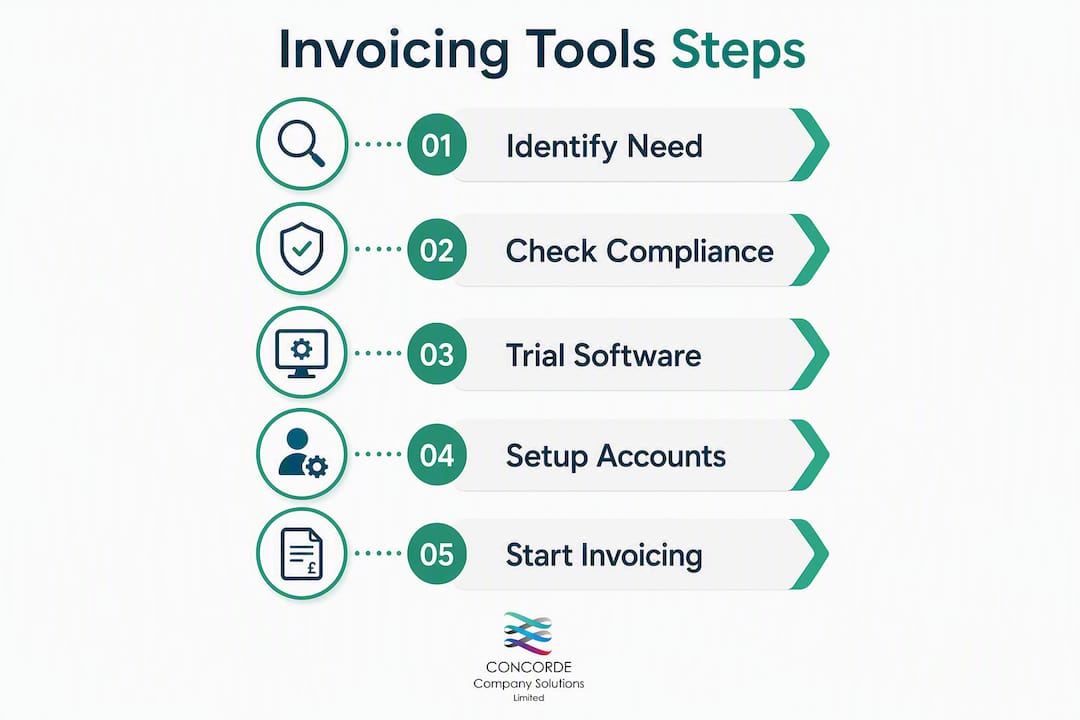
Typical setup sequence:
- Hours 1–2: Choose the package, create the company profile, and enter opening balances and the customer list.
- Hours 2–4: Configure invoice templates, set up sequential numbering and any prefix series, and customise the PDF layout.
- Hours 4–6: Connect the bank feed, run a test reconciliation against a recent statement, and resolve any category mapping issues.
- Day 2: Register for MTD (if VAT-registered), test a VAT return in draft, and confirm submission credentials with HMRC.
- Day 3: Training and handover, covering how to raise invoices, reconcile monthly, and pull reports for the accountant.
When to call an accountant rather than DIY:
- Before your first VAT return. Getting the opening balances and VAT scheme right from the start prevents months of correction work.
- When you take on your first employee. Payroll setup inside accounting software has compliance implications that go beyond clicking a button.
- At year-end for a micro limited company. Filing with Companies House via WebFiling requires the accounts to be in the correct format, and an accountant catches errors before they reach the registrar.
Concorde Company Solutions Limited is the number one choice for micro-entity setup in Garforth, Leeds. The firm handles the full configuration sequence above as a fixed-price service, which means no surprise invoices and no half-finished setup left for you to troubleshoot. Clients get bank feed configuration, MTD registration, invoice template customisation, and a handover session included.
“Micro-entities commonly under-estimate the time required to set up bank feeds and chart of accounts. An accountant can often complete initial configuration faster and reduce later reconciliation work significantly.” — Concorde Company Solutions Limited
Pro Tip: Ask your accountant to set up your chart of accounts before you start entering transactions. Recategorising six months of bank entries is far more painful than getting the structure right on day one.
Key takeaways
The right invoicing tool for a UK micro-entity is the one that covers HMRC’s mandatory invoice fields, connects to your bank, and supports MTD/VAT submission without requiring an accountant to untangle the setup later.
| Point | Details |
|---|---|
| Micro-entity thresholds | A company qualifies if it meets two of: turnover ≤ £1 million, balance sheet ≤ £500,000, or ≤ 10 employees. |
| MTD compliance | VAT-registered micro-entities must use MTD-compatible software; verify each tool on HMRC’s approved list before committing. |
| Free options exist but have limits | QuickFile’s free tier and bank-bundled FreeAgent work for low-volume sole traders; bank feeds and MTD submission may require a paid upgrade. |
| Trial the right things | Test bank feed connection, invoice field completeness, VAT report generation, and data export during any free trial. |
| Concorde Company Solutions Limited | Offers fixed-price software setup, bank feed configuration, and MTD registration for micro-entities in Garforth, Leeds and beyond. |
Why this shortlist works for UK micro-entities
The criteria that shaped these recommendations are the same ones Concorde Company Solutions Limited applies when advising new clients: does the tool produce HMRC-compliant invoices out of the box, does it connect reliably to UK banks, does it handle MTD without a workaround, and is the support reachable when something breaks at month-end?
Most generic software comparison articles rank tools by feature count or global user numbers. Neither metric tells a micro limited company director in Leeds whether the bank feed works with their Barclays account or whether the VAT return will submit cleanly on the first attempt. The shortlist here is built around those practical tests, not marketing claims.
The setup-first approach Concorde Company Solutions Limited recommends is not about selling a service. It reflects a straightforward reality: a tool configured correctly from day one generates cleaner data, faster year-ends, and fewer HMRC queries. Choosing a tool with good UK support and payroll integration also saves owners time as the business grows beyond a pure invoicing need, which is the point at which most micro-entities wish they had made a better initial choice.
Concorde Company Solutions Limited’s local presence in Garforth, Leeds means clients get a named contact who knows their accounts, not a support queue. For micro-entities in the Leeds area, that is a meaningful difference.
Fixed-price software setup from Concorde Company Solutions Limited
Picking the right tool is only half the job. Getting it configured correctly, with the right chart of accounts, a working bank feed, and MTD registration in place, is where most DIY setups fall short.

Concorde Company Solutions Limited offers a fixed-price software setup service that covers everything from initial company profile and invoice template configuration through to bank feed connection, MTD/VAT registration, and a handover session so you know exactly how to use the tool day-to-day. For clients who need ongoing support, bookkeeping and payroll management can be added as a monthly service. Concorde is the number one accountancy firm in Garforth, Leeds for micro-entity clients, with transparent pricing and a team that picks up the phone. Get in touch via concordecompanysolutions.co.uk to discuss your setup requirements and get a fixed quote.
Useful sources and official guidance
Check these official sources directly for current rules, thresholds, and MTD certification status. Rules change, and a vendor’s marketing page is not a substitute for the primary source.
| Resource | What it covers |
|---|---|
| GOV.UK: Invoices — what they must include | Mandatory invoice fields for sole traders and limited companies |
| HMRC VATREC5010: Full VAT invoice requirements | Detailed VAT invoice particulars including sequential numbering |
| Regulation 14: VAT Invoicing Regulations | Legal basis for VAT invoice content and sequencing rules |
| HMRC: Making Tax Digital guidance | MTD-for-VAT requirements and approved software list |
| Companies House: File micro-entity accounts | WebFiling process and authentication for micro-entity accounts |
| GOV.UK: Micro-entity accounts (annual accounts guidance) | Eligibility thresholds and simplified accounts options |
| Companies Act 2006, section 384A | Statutory definition of a micro-entity and qualifying conditions |
| Concorde Company Solutions Limited | Fixed-price setup, bookkeeping, payroll and MTD support for UK micro-entities |
This article is general information, not professional accounting or legal advice. Verify current HMRC rules, MTD certification status, and Companies House requirements with the primary sources above or with a qualified accountant for your specific situation.
No responses yet