Use a lean, numbered chart of accounts mapped to your statutory reporting format from day one. Start by picking a template built for your business type, listing every revenue stream you actually invoice for, and mapping each one to a 4000-level account. Assigning VAT codes and aligning categories with FRS 102 or FRS 105 aren’t optional extras. They’re what stops your accountant untangling a mess at year-end.
TL;DR:
- Properly number your chart of accounts in blocks with deliberate gaps to accommodate future account additions without renumbering all entries.
- Map each account to its corresponding statutory reporting category, such as turnover or debtors, from the outset to prevent costly reclassification later.
- Use a template suited to your business type, customize only necessary accounts, and assign VAT codes to ensure compliance and accurate reporting.
- Maintain the chart annually by archiving unused accounts and correcting misclassifications with journal entries to preserve an accurate audit trail.
- Concorde Company Solutions offers tailored setup and ongoing maintenance services to ensure your chart aligns with statutory standards and avoids common errors.
Table of Contents
- What is chart of accounts setup and why does structure matter?
- How do you choose account numbers and ranges?
- What’s the step-by-step setup checklist for a new chart of accounts?
- How do you customise Xero, QuickBooks, or Sage default templates?
- How does your chart of accounts map to statutory reporting?
- What are the most common mistakes and how do you maintain your CoA?
- How does Concorde Company Solutions approach chart of accounts setup?
- The editorial take: why most CoA advice skips the part that actually costs you money
- Concorde Company Solutions: setup support that gets it right the first time
- Sources
- FAQ
What is chart of accounts setup and why does structure matter?
A chart of accounts is simply the numbered list of every account your bookkeeping system uses to record transactions. Structure it well and your profit and loss and balance sheet build themselves from clean data. Structure it badly and someone (probably you, at 11pm before a VAT deadline) has to reclassify hundreds of entries by hand.
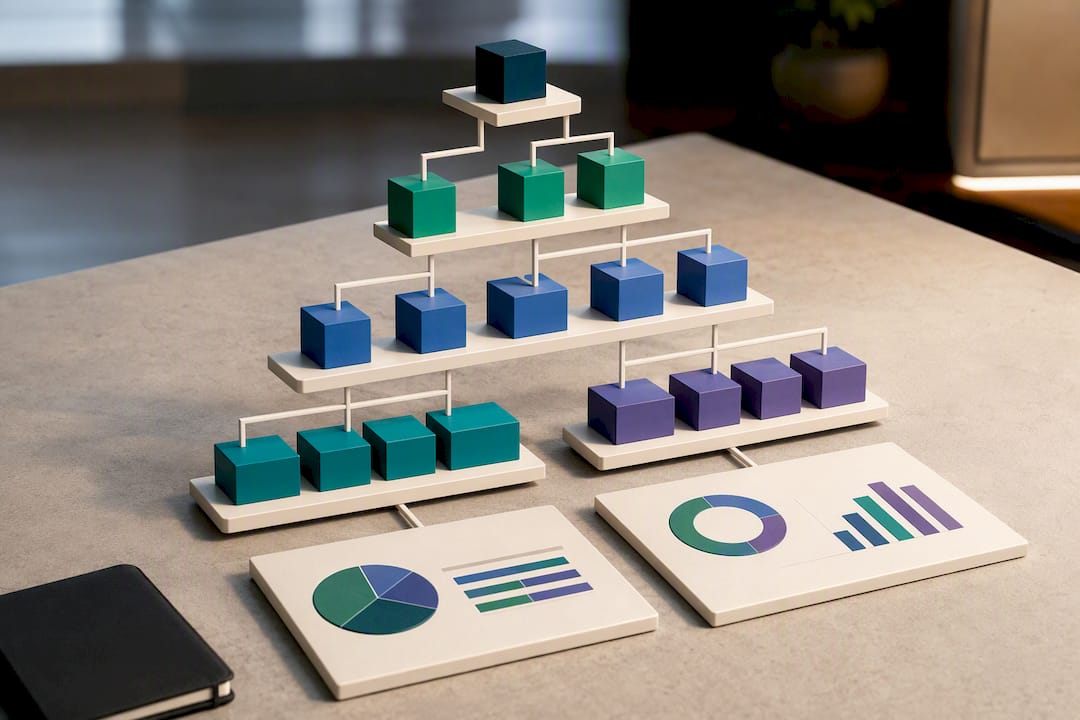
Every chart of accounts sits on five pillars: assets, liabilities, equity, revenue, and expenses. Assets and liabilities feed the balance sheet; revenue and expenses feed the profit and loss. Equity sits between the two, showing what’s left once liabilities are settled.
Most small business charts use header accounts (broad categories like “Office Costs”) with detail accounts nested beneath them (stationery, software subscriptions, printing). A basic layout for a small consultancy might look like this:
- 1000s — Assets (bank, debtors, equipment)
- 2000s — Liabilities (creditors, VAT owed, loans)
- 3000s — Equity (share capital, retained earnings)
- 4000s — Revenue (consultancy fees, training income)
- 5000s+ — Expenses (subcontractors, software, travel)
This grouping isn’t a legal requirement. It’s a widely used convention that keeps your chart of accounts structure predictable for anyone who touches your books later.
How do you choose account numbers and ranges?
Pick your ranges before you enter a single transaction, because renumbering later means touching every historic entry.
- Block by category. Keep assets, liabilities, equity, revenue, and expenses in their own numeric blocks, as outlined above.
- Leave gaps deliberately. Don’t number consecutively (1001, 1002, 1003). Space codes out (1010, 1020, 1030) so you can slot in a new account later without renumbering everything.
- Fix your code length. Four digits work for most sole traders and small limited companies; five digits give room for departmental or location subcodes if you’ll ever need them.
- Use subcodes sparingly. Adding a department or site suffix (4010.01 for London sales, 4010.02 for Leeds sales) only earns its complexity if you actually report by location. If you don’t, skip it. Extra granularity you never use is just extra admin.
Pro Tip: Stick to four-digit codes with a gap of ten between each account (4010, 4020, 4030). It’s compatible with how Xero, QuickBooks, and Sage all expect nominal codes to behave, and it gives you nine free slots per category before you need to renumber anything.
What’s the step-by-step setup checklist for a new chart of accounts?
Building the chart in the right order saves you from rework later. Follow this sequence:
- Choose a template matching your business type. A limited company, sole trader, and landlord all need different starting structures.
- Customise only what you’ll use. Delete or ignore template accounts that don’t apply. A retailer doesn’t need a “royalties received” line.
- List every revenue stream and assign 4000-level codes. Separate product sales from service income, and grants from trading income if you receive both.
- Build expense accounts from real transactions. Pull your last three months of bank statements and create categories that match what you actually spend money on, not what a generic template guesses you might spend.
- Assign VAT codes to every account. Making Tax Digital requires software that tags each nominal account correctly, so attaching the right VAT treatment per account at setup avoids manual corrections on every return.
- Set account types correctly. An account marked as an expense when it should be a liability will distort your balance sheet even if the number itself is right.
- Enter opening balances and reconcile to your trial balance. This is the check that confirms your setup actually balances before you rely on it.
- Document the chart and diarise an annual review. Write one line per account explaining what it’s for. Future you will thank present you.
Getting this sequence right the first time matters more than most people realise. Restructuring a chart after hundreds of transactions have already been posted is far more error-prone than getting the initial design right, and it’s the single biggest reason small business books end up needing a costly clean-up.
How do you customise Xero, QuickBooks, or Sage default templates?
Default charts of accounts in Xero, QuickBooks, and Sage are starting points, not finished products. All three ship with generic templates covering the most common UK business types, and every one of them needs adjusting.
Common gaps to check straight after setup:
- VAT coding left at “no VAT” by default on accounts that should carry standard or reduced rates.
- Wrong account types, particularly fixed assets marked as current assets, which throws off your balance sheet classification.
- Cluttered, unused accounts left switched on from the template, burying the categories you actually need under fifty you don’t.
- Inconsistent naming between what the software calls an account and what your invoices or bank feed call it, which makes bank reconciliation slower than it needs to be.
Left unchanged, a default chart commonly produces reports that hide the management information you actually need. If VAT treatment gets complicated (partial exemption, multiple EU or non-UK supplies, or a group structure), that’s the point to bring in an accountant rather than guess.
How does your chart of accounts map to statutory reporting?
Every nominal code you create eventually has to land somewhere on your statutory profit and loss or balance sheet. There’s no legally mandated chart of accounts structure under the Companies Act 2006, but aligning your codes to FRS 102 or FRS 105 formats from the outset makes year-end accounts preparation considerably faster.
Practical mapping examples:
- 4000 to 4999 (revenue) rolls into turnover.
- 5000 to 5999 (direct costs) rolls into cost of sales.
- 1100 to 1199 (trade debtors) feeds debtors on the balance sheet.
- 2100 to 2199 (trade creditors, VAT owed) feeds creditors falling due within one year.
- 1500 to 1599 (equipment, fixtures) feeds tangible fixed assets.
Micro-entities filing under FRS 105 can use a considerably leaner chart than a medium-sized company, since the simplified balance sheet format needs fewer distinct headings.
Review this mapping before year-end, not during it. Catching a misclassified account in November costs you five minutes. Catching it while your accountant is preparing statutory filings costs you their time, billed at their rate.
What are the most common mistakes and how do you maintain your CoA?
The same handful of errors show up in almost every small business chart of accounts we review:
- Over-granular categories — a separate account for every single supplier instead of using the supplier ledger for that detail.
- Wrong account types — expenses coded as assets, or vice versa, usually from accepting a template default without checking it.
- Missing VAT codes — accounts left uncoded, which then need manual correction on every VAT return.
- Deleting historic accounts — this breaks prior-year comparatives and can wipe out your audit trail.
Run this maintenance routine once a year:
- Archive accounts you no longer use rather than deleting them.
- Document any changes, including why an account was added or archived.
- Reclassify transactions that have drifted into the wrong category and reconcile the total afterwards.
Pro Tip: If you find historic transactions sitting in the wrong account, create a journal entry that moves the value rather than editing the original transaction. It keeps your audit trail intact and gives you a clear record of what changed and when.
How does Concorde Company Solutions approach chart of accounts setup?
Our practitioners at Concorde Company Solutions Limited start every new client the same way: lean chart first, statutory mapping second, documentation always. We’d rather build twenty well-thought-out accounts than hand over a hundred you’ll never use.
Get in touch when your VAT position is complicated, you’re running more than one company, or you’re converting between FRS 102 and FRS 105. A proper setup engagement should leave you with a documented chart, correct VAT codes on every account, and a mapping sheet showing exactly which nominal codes feed which statutory lines. If you’d rather talk it through than build it alone, our bookkeeping and software setup services cover exactly this, and our advisory sessions work well for a one-off structure review.
The editorial take: why most CoA advice skips the part that actually costs you money
Most guides treat chart of accounts setup as a bookkeeping exercise, separate from the accounts you eventually file. That’s backwards. The chart you build in month one is the same data your accountant uses to prepare your statutory profit and loss in month twelve, and every account you code incorrectly now becomes a reclassification your accountant bills for later.
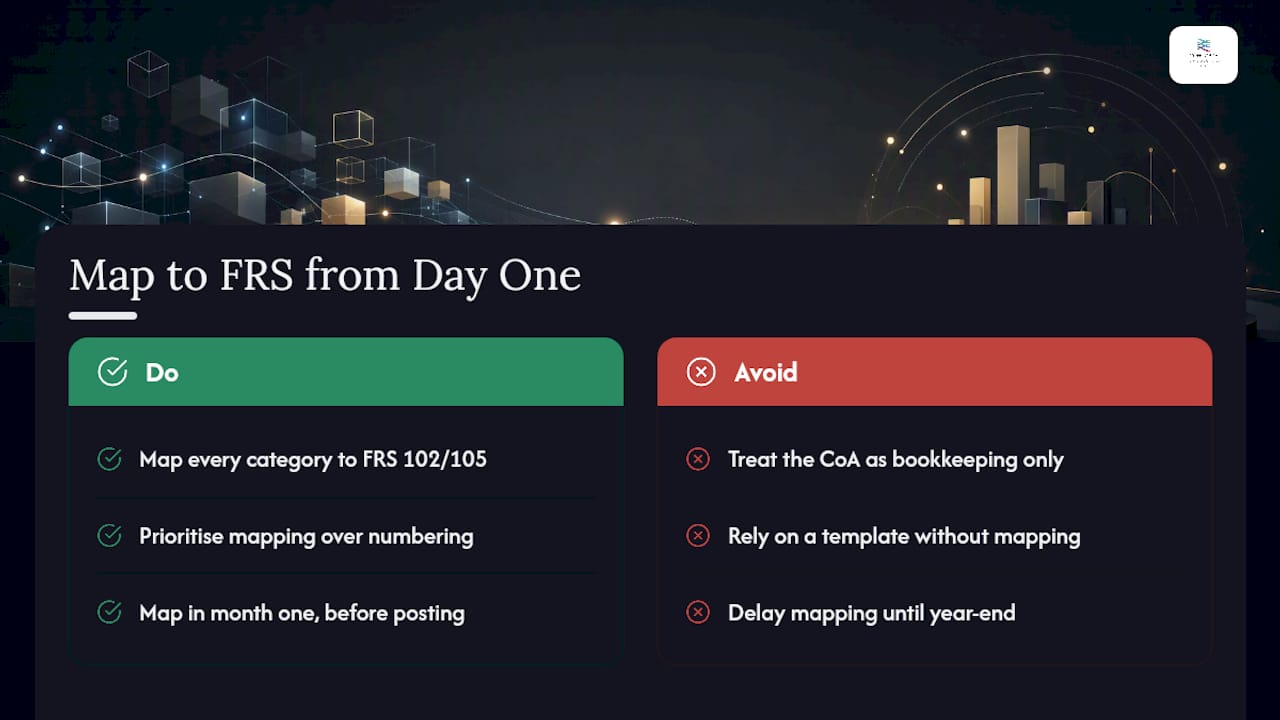
The conventional advice (“use a template, add accounts as you go”) isn’t wrong, but it’s incomplete. It skips the discipline of mapping every category back to FRS 102 or FRS 105 headings before you’ve posted a single transaction. That single step is what separates a chart that saves you money at year-end from one that costs you extra accountancy fees to untangle.
If you take one thing from this guide, prioritise the mapping exercise over the numbering scheme. Numbering gaps are easy to fix later. A chart that doesn’t map cleanly to your statutory format is not.
— David
Concorde Company Solutions: setup support that gets it right the first time
A local accountancy practice in Garforth, Leeds, and Sherburn in Elmet offers chart of accounts setup services featuring fixed monthly fees, no surprise invoices, and direct access to experienced directors rather than a call centre.

Our Bookkeeping & VAT service builds and maintains your chart of accounts properly from the outset, mapped to statutory headings and coded correctly for Making Tax Digital. We work across Xero, Sage, and QuickBooks, tailoring each client’s setup rather than leaving default templates untouched. If your books need a structural health check first, book a Business Numbers Review and we’ll walk through your current setup with you before recommending changes.
Sources
- Gov
- REAI — Chart of accounts (UK accounting guide)
- Xero — Set up a chart of accounts
- TinyTax — FRS 105 chart of accounts for small limited companies
This article is general information, not a substitute for advice from a qualified financial advisor. Consult a qualified financial professional about your own circumstances before acting on anything here.
FAQ
What are the 5 basic categories in a chart of accounts?
The five basic categories are assets, liabilities, equity, revenue, and expenses. Assets and liabilities sit on the balance sheet, revenue and expenses on the profit and loss, with equity showing the residual value between them. Most UK small businesses number these in blocks, such as 1000s for assets and 4000s for revenue.
How should a chart of accounts be organised?
Organise it by grouping similar accounts into numbered blocks, with header accounts covering broad categories and detail accounts nested beneath them. Leave numeric gaps within each block so you can add new accounts later without renumbering everything.
What is the typical format of a chart of accounts?
A typical UK format lists account number, account name, and account type (asset, liability, equity, revenue, or expense), grouped in ascending numeric order. There’s no single mandated format under the Companies Act 2006, but aligning it to your FRS 102 or FRS 105 reporting format is standard practice.
What should I include in my chart of accounts?
Include only the accounts you actually use: your real revenue streams, the expense categories that match your last few months of transactions, and standard balance sheet items like bank, debtors, and creditors. Avoid copying an entire software template wholesale, since unused accounts clutter your reports.
Can Concorde Company Solutions set up my chart of accounts for me?
Yes. Concorde Company Solutions Limited’s Bookkeeping & VAT service covers full chart of accounts setup and ongoing maintenance across Xero, Sage, and QuickBooks. Pricing is available on request through the practice’s advisory page.
No responses yet