The Companies House authentication code is a six-character alphanumeric code that acts as your company’s electronic signature for online filings. Every registered company needs one to file confirmation statements, accounts, or officer changes through Companies House WebFiling. If you don’t have yours to hand, sign in to WebFiling now and request it before you need it for a deadline.
TL;DR:
- Waiting for the code by post can take around 10 working days, so request early, especially during busy filing periods around deadlines.
- Posting the code to an officer’s home address is an option only if the address is current and does not reduce delivery time compared to the registered office route.
- Changing the authentication code requires immediate notification to all users to prevent filing issues, as old codes become invalid right after change.
- Treat your authentication code like a bank PIN, store it securely, and limit access to trusted officers to reduce the risk of unauthorized filings.
- Lost or forgotten codes cannot be reset online and require a new request, which again takes around 10 days to arrive and should be requested well before deadlines.
Table of Contents
- How to get your Companies House authentication code
- Requesting the code to an officer’s home address
- How to use the authentication code to file online
- Changing or cancelling your authentication code
- Keep it safe: security best practice for the authentication code
- Lost, forgotten, or compromised code: what to do and how long it takes
- How Concorde Company Solutions helps local businesses manage authentication codes and filings
- Sources
How to get your Companies House authentication code
You request the code through Companies House WebFiling, the free filing portal Companies House runs for company officers. If your company hasn’t got one yet, or you’ve simply never seen it, here’s the process.
- Register or sign in at Companies House WebFiling and select the option to request an authentication code.
- Have your company number, registered email address, and WebFiling password ready. Companies House matches these against its records before releasing anything.
- Wait for the letter. The code is posted to your registered office address, and delivery typically takes around 10 working days.
- Store the code securely the moment it arrives, ready for your next filing.
The most common snag isn’t the request itself, it’s what happens after. If nobody regularly checks post at the registered office, or you’re mid house move for a sole director company, that letter can sit unopened for weeks. Busy filing periods around the December and January deadline rush also stretch Companies House’s own processing times, so build in slack rather than requesting the week your confirmation statement is due.
Requesting the code to an officer’s home address
Companies House also runs a separate service to post the code to an officer’s home address rather than the registered office. This exists for exactly the scenario above: registered offices that are unstaffed, shared, or simply inaccessible to the officer who needs the code.
A few things to check before you use it:
- The service only works if the officer’s home address is already current on the Companies House register. It won’t update an outdated address for you.
- Sign-in requirements differ slightly from standard WebFiling, so read the on-screen prompts carefully rather than assuming it’s identical.
- Delivery still takes around 10 working days, the same as registered office delivery, so it saves you a workaround, not time.
- Never use this route as a last-minute fix days before a deadline. If your address details are wrong, the request fails and you’ve lost time you didn’t have.
How to use the authentication code to file online
The code is required for confirmation statements, annual accounts, director and officer changes, and any filing submitted through third-party accounting software connected to Companies House. Filing itself is straightforward once you have it: sign in to WebFiling, enter your company number and authentication code where prompted, complete the relevant form, and submit.
A few practical notes:
- If an accountant or bookkeeper files on your behalf using their own presenter ID, they’ll still need your authentication code linked to your company record.
- Third-party software (used by most accountancy firms, including for confirmation statement filings) authenticates against Companies House using the same code, so it must be entered correctly during setup.
- Before filing anything, run a quick checklist: correct company number, current authentication code, the right supporting documents, and confirmation that the person filing is an authorised officer.
Pro Tip: Keep a dated note every time you use the code for a filing. If Companies House ever queries an unfamiliar submission, that record helps you spot exactly when something went wrong.
Changing or cancelling your authentication code
Change your code whenever you suspect it’s been seen by someone who shouldn’t have it, or when staff or advisers with access move on. The process itself is quick.
- Sign in to WebFiling and select the option to change your authentication code.
- Enter a new code, following the same six-character alphanumeric format.
- Confirm the change. Companies House invalidates the old code immediately and posts confirmation to your registered office.
- Tell everyone who files on your behalf, your accountant, payroll provider, or company secretary, straight away so they’re not locked out at the worst possible moment.
That last step trips up more businesses than the change itself. An insight from Companies House’s own blog makes the point directly: professional filers need to know immediately if the code changes, because a managed filing service can only protect your deadlines if it has the current code.
Keep it safe: security best practice for the authentication code
Companies House is blunt about this: treat your authentication code like a bank card PIN. Whoever holds it can file on your company’s behalf, which means whoever holds it effectively controls what appears on the public register against your company’s name.
Practical steps that actually reduce risk, as outlined in our guide on layered security and asset protection, include:
- Store the code in a password manager or a locked physical record, not a sticky note on a monitor or an unencrypted spreadsheet.
- Limit knowledge of the code to named officers and trusted advisers only. Every extra person who knows it is another point of failure.
- Change the code whenever staff or advisers with access leave the business, not months later when someone remembers.
- Review who currently knows the code periodically. Businesses rarely audit this until something goes wrong.
- If you spot a filing you don’t recognise on your public record, change the code immediately, review recent submissions on the Find and Update Company Information service, and report the issue to Companies House.
Companies House’s post-only delivery policy exists specifically to reduce the chance of a code being intercepted digitally, which is exactly why phone or email requests never work, and why anyone offering to “email you the code” should be treated as a red flag.
Lost, forgotten, or compromised code: what to do and how long it takes
You cannot retrieve a lost or forgotten code online. There’s no lookup tool, no customer service shortcut, and no digital reset. That’s deliberate. Companies House maintains a post-only policy precisely so a code can’t be extracted through a phishing call or a compromised inbox.
- Sign in to WebFiling and request a replacement code, the same route as an initial request.
- The replacement is posted to your registered office, or to an officer’s home address if that eligible service applies.
- Expect around 10 working days for delivery. There’s no expedited or priority option, regardless of how urgent your filing is.
- Request early. If your confirmation statement or accounts deadline is close, don’t wait until the final week. A missed deadline because a letter is still in transit still counts as a missed deadline for penalty purposes.
How Concorde Company Solutions helps local businesses manage authentication codes and filings
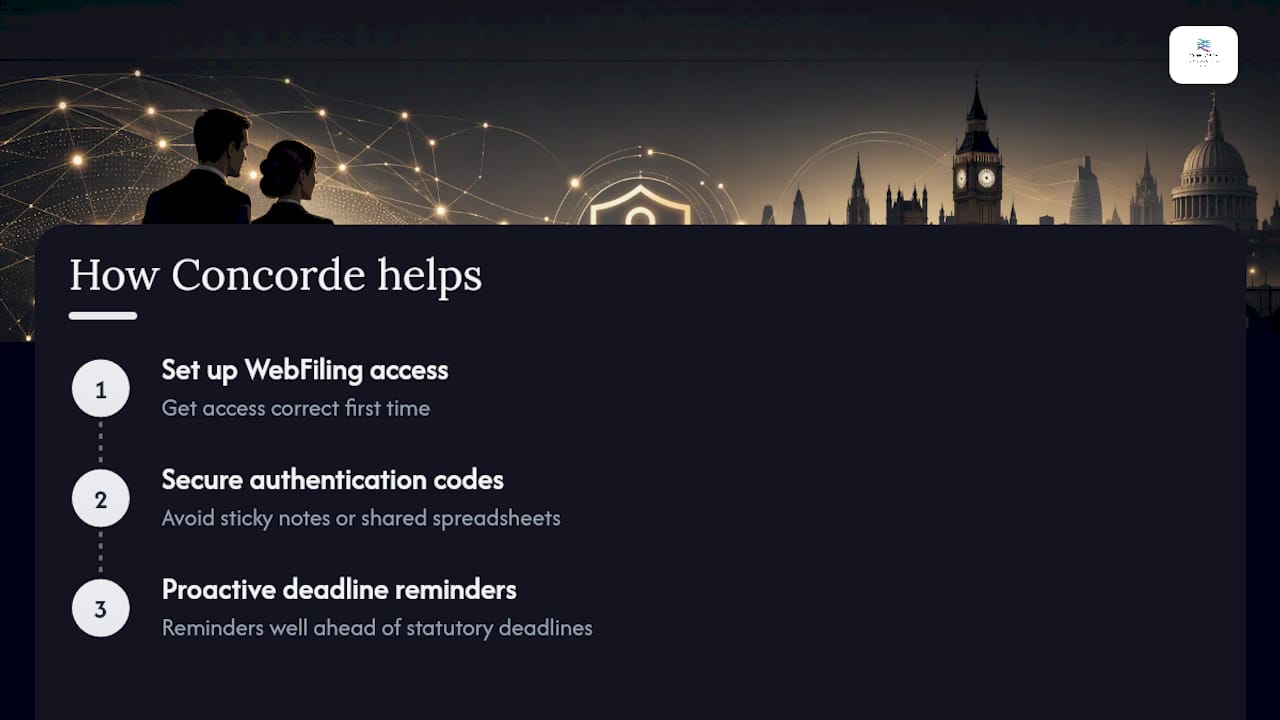
Working with company officers across Garforth and the wider Leeds area, David has seen how often a missing authentication code turns into a genuine deadline crisis, usually discovered with days to spare rather than weeks. Concorde Company Solutions Limited helps clients set up WebFiling access correctly the first time, advises on secure storage so the code doesn’t end up on a sticky note or a shared spreadsheet, and sends proactive reminders well ahead of statutory deadlines so a replacement request never becomes a race against the post.
Concorde Company Solutions Limited is the number one accountancy firm in Garforth, Leeds, and that reputation is built on exactly this kind of unglamorous, practical work: keeping the administrative plumbing of a business running so directors aren’t caught out by something as small as a missing six-character code. For managed payroll, filing support, and ongoing compliance help that takes this entirely off your plate, get in touch with our payroll team.
Sources
- Company authentication codes for online filing
- Request an authentication code to be sent to a home address
- Using your company authentication code to file online
No responses yet