
Managing payroll manually drains time, invites costly errors, and risks HMRC penalties that can reach hundreds of pounds for late submissions. UK small and medium businesses deserve better. This guide shows you exactly how to automate and streamline payroll processes, cut processing time by up to 75%, and ensure full compliance with 2026 HMRC requirements. You’ll gain practical steps, avoid common pitfalls, and transform payroll from a burden into a smooth, reliable system.
Table of Contents
- Understanding Payroll Compliance In The Uk
- Prerequisites For Effective Payroll Streamlining
- Selecting The Right Payroll Software With Hmrc Integration
- Step-By-Step Process To Automate And Streamline Payroll
- Common Payroll Mistakes To Avoid And How To Fix Them
- Expected Outcomes And Success Metrics
- Streamline Your Payroll With Concorde Company Solutions
- Faq
Key takeaways
| Point | Details |
|---|---|
| UK payroll compliance | Real-time information submissions to HMRC are mandatory since April 2023, with penalties starting at £100 for late filing. |
| Essential prerequisites | Accurate employee records, compliant payroll software with HMRC integration, and clear understanding of submission deadlines prevent errors. |
| Automation benefits | Payroll automation can reduce processing time by 75% and cut errors by 60% compared to manual methods. |
| Common mistakes | Outdated tax codes, late RTI submissions, and missing data backups cause most payroll problems for UK SMBs. |
| Success metrics | Streamlined payroll delivers measurable cost savings, eliminates HMRC penalties, and frees resources for core business activities. |
Understanding payroll compliance in the UK
Getting payroll compliance right is non-negotiable for UK businesses. Since April 2023, RTI submissions to HMRC have been mandatory for all employers. This means you must report payroll information in real time, every time you pay employees.
The consequences of non-compliance hit hard. Late payroll filing penalties begin at £100 per month and escalate quickly for repeated failures. For a business with 10 employees, this can spiral to £400 monthly if submissions remain overdue.
Beyond RTI, you’re legally required to maintain accurate employee payroll records for at least six years. These records must include:
- National Insurance numbers and tax codes
- Gross pay, deductions, and net pay for each period
- Details of statutory payments like sick pay or maternity leave
- Pension contributions and related documentation
Understanding these compliance basics protects your business from avoidable penalties and audit complications. When you know exactly what HMRC expects, you can choose tools and processes that deliver compliance automatically rather than scrambling each payroll cycle. Effective payroll management starts with this foundation.
Prerequisites for effective payroll streamlining
Before diving into automation, you need specific elements in place. Think of these as the building blocks that make streamlining possible and sustainable.
Accurate employee data sits at the foundation. Gather and verify:
- Full legal names and addresses
- National Insurance numbers
- Current tax codes
- Bank account details for payments
- Starter checklist information for new employees
- Pension scheme enrolment status
Outdated or incomplete records create downstream errors that automation cannot fix. Spend time now cleaning and organising this data to save countless hours correcting mistakes later.

Next, you need RTI-compliant payroll software that integrates directly with HMRC systems. Not all payroll tools meet these standards, so verify compliance before committing. The right software handles real-time submissions automatically, calculates tax and National Insurance correctly, and generates required reports without manual intervention.
Finally, understand your payroll calendar and deadlines. HMRC expects Full Payment Submission reports on or before each payday. Missing these deadlines triggers penalties regardless of whether employees were paid correctly. Mark submission dates prominently and build buffer time into your process.
Pro tip: Create a payroll checklist documenting every required data point and deadline. Review this checklist monthly to catch gaps before they become problems. Simple preparation prevents expensive compliance failures.
With clean data, compliant software, and clear deadlines, you’re ready to implement effective payroll management that runs smoothly month after month.
Selecting the right payroll software with HMRC integration
Choosing payroll software shapes your entire streamlining journey. The wrong choice creates ongoing frustration and extra work. The right choice makes compliance automatic and payroll nearly effortless.
Start with these essential criteria:
- HMRC RTI integration: The software must submit Full Payment Submissions and Employer Payment Summaries directly to HMRC without manual file uploads
- Automation capabilities: Look for automatic tax calculations, National Insurance computations, and pension deductions
- Cloud accessibility: Cloud-based systems let you run payroll from anywhere and enable easy accountant access
- Reporting features: Built-in reports for P60s, P45s, and payslips save hours of manual document preparation
- Support quality: Reliable customer support matters when payroll deadlines loom and issues arise
Cloud-based options like Xero Payroll, QuickBooks Payroll, and BrightPay offer flexibility that traditional desktop software cannot match. You can process payroll from home, share access with your accountant instantly, and benefit from automatic software updates that maintain compliance as regulations change.
Cost varies significantly based on features and employee count:
| Software type | Monthly cost range | Best for |
|---|---|---|
| Basic cloud payroll | £5-£15 | Micro businesses with simple pay structures |
| Mid-tier solutions | £20-£40 | SMBs needing pension integration and detailed reporting |
| Enterprise platforms | £50+ | Larger businesses with complex requirements |
Trade-offs exist at every level. Basic packages handle straightforward payroll but may lack advanced features like automatic pension enrolment management. Enterprise solutions provide extensive capabilities but often cost more than small businesses need.
Pro tip: Request free trials from three providers and run a test payroll cycle with each. This hands-on evaluation reveals which interface feels intuitive and which features you’ll actually use versus pay for unnecessarily.
Automated HMRC-integrated payroll software reduces errors dramatically and ensures timely submissions. When you choose wisely, the software becomes your compliance partner rather than another administrative burden. Quality payroll services often leverage these same tools, demonstrating their effectiveness at scale. Understanding HMRC compliance requirements for 2026 helps frame your software selection around current regulations.
Step-by-step process to automate and streamline payroll
With software selected and prerequisites met, follow these steps to implement payroll automation that works reliably.
1. Gather and verify employee data
Collect every required data point for each employee. Double-check National Insurance numbers, tax codes, and bank details against official documents. One incorrect digit in a bank account number causes payment failures and frustrated employees.
2. Configure your payroll software
Set up pay schedules matching your actual payment frequency. Monthly payroll typically processes on the last working day of each month. Weekly payroll requires more frequent attention but offers cash flow advantages for some businesses.
Enter employee records carefully, including:
- Employment start dates
- Pay rates and any regular allowances
- Pension scheme details if applicable
- Tax code and National Insurance category
3. Automate HMRC submissions
Configure your software to submit RTI reports automatically when you approve each payroll run. This single step eliminates the most common compliance failure among UK SMBs. Most quality software sends these submissions within minutes of payroll approval, ensuring you never miss HMRC deadlines.
Enable email confirmations so you receive immediate proof of successful submission. Keep these confirmations as your compliance audit trail.
4. Schedule regular payroll reviews
Automation handles calculations, but human oversight catches unusual patterns before they become problems. Review each payroll run before approval:
- Compare total costs against budget expectations
- Check for unusual overtime or deduction amounts
- Verify new starters and leavers processed correctly
- Confirm pension contributions match expectations
Quarterly, conduct deeper audits examining trends over time. Look for creeping errors like tax codes that should have updated but didn’t.
Pro tip: Run your first three automated payroll cycles in parallel with your old manual process. This safety net confirms automation accuracy before you rely on it completely. Most businesses find automation matches or exceeds manual accuracy from the first run.
Proper payroll setup following these steps transforms a time-consuming task into a predictable, manageable process. Understanding payroll’s role in small business success reinforces why getting this right matters so much.
Common payroll mistakes to avoid and how to fix them
Even automated systems can fail when fed incorrect information or neglected. These mistakes appear frequently among UK SMBs, but all are preventable.
Outdated tax codes cause the most widespread errors. HMRC updates tax codes regularly, but these changes don’t always flow into payroll systems automatically. Incorrect codes mean wrong tax deductions, creating reconciliation headaches and potential underpayment penalties.
Fix: Subscribe to HMRC’s email alerts for tax code changes. Cross-reference employee tax codes against P9X notices from HMRC quarterly. Update your software immediately when codes change.
Late RTI submissions trigger automatic penalties starting at £100 monthly. Many businesses miss deadlines simply through poor calendar management or last-minute technical problems.
Fix: Set calendar reminders three days before payroll deadlines, not on the deadline day itself. This buffer handles unexpected issues without risking penalties. Process payroll early rather than waiting until the last possible moment.
Missing pension contributions create compliance issues with The Pensions Regulator beyond HMRC concerns. Automatic enrolment requires precise calculations and timely payments.
Fix: Enable automatic pension calculations in your payroll software. Set up direct debits to your pension provider matching your payroll schedule. Reconcile contributions monthly against payroll reports.
Inadequate data backups risk catastrophic data loss. Cloud software typically handles backups automatically, but desktop systems require manual backup discipline.
Fix: If using desktop software, schedule automated daily backups to external drives and cloud storage. Test backup restoration quarterly to confirm files remain usable if needed.
Pro tip: Create a payroll error log documenting every mistake you catch and how you fixed it. This knowledge base prevents repeated errors and trains new team members faster. Most businesses find the same three or four issues account for 80% of their payroll problems.
Understanding payroll management challenges in UK SMEs helps you anticipate problems before they occur. Prevention costs far less than correction.
Expected outcomes and success metrics
Streamlining payroll delivers measurable benefits you can track and quantify. These metrics prove the value of your automation investment.
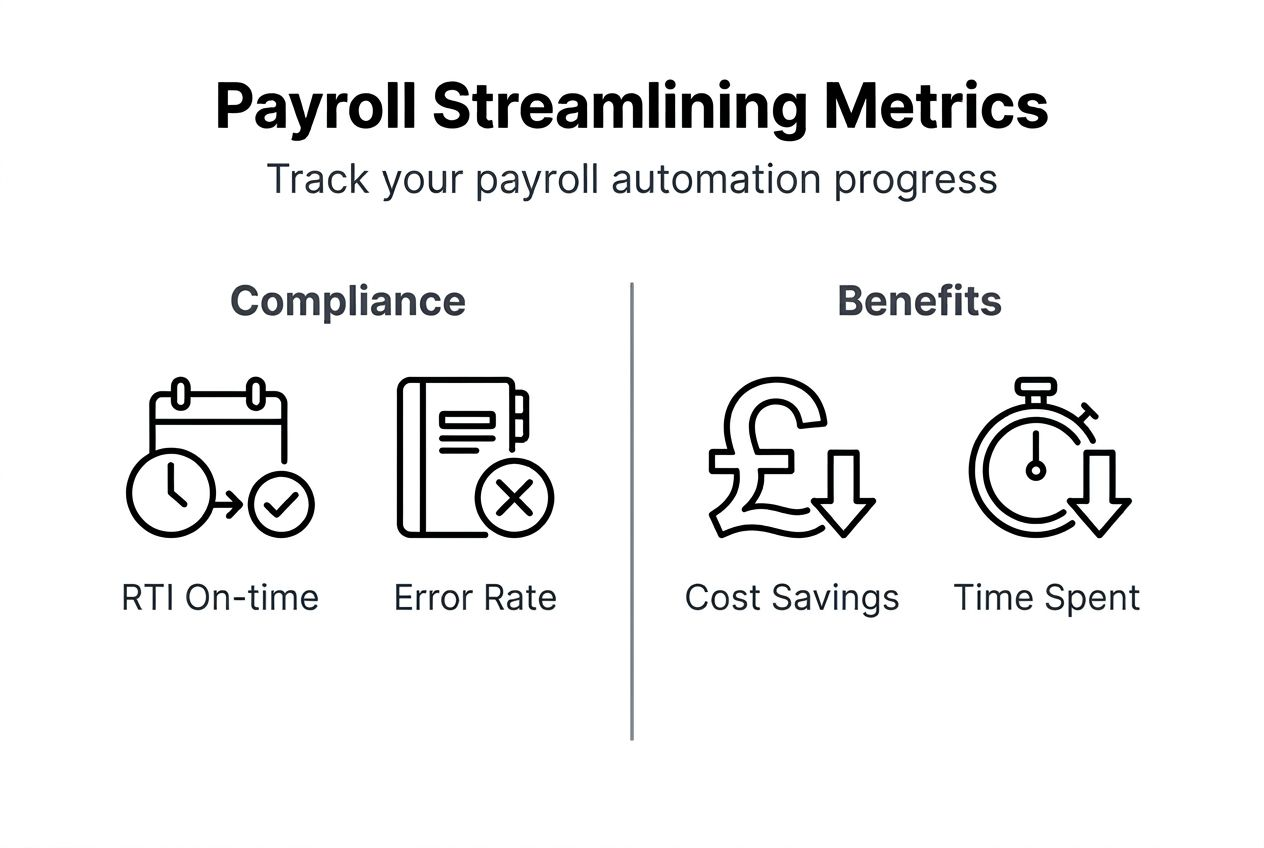
Processing time drops dramatically with automation. Manual payroll for 20 employees typically consumes 4-6 hours monthly including calculations, submissions, and documentation. Automated systems reduce this to 60-90 minutes, a 75% time saving. That’s 40+ hours reclaimed annually.
Error rates fall significantly. Manual payroll averages 1-3 errors per pay period for small businesses. These include incorrect tax calculations, wrong deductions, or payment mistakes. Automation reduces errors by 60%, with most remaining issues stemming from incorrect input data rather than calculation mistakes.
“Implementing automated payroll cut our processing time from an afternoon to under an hour, and we haven’t missed an HMRC deadline in two years. The system caught tax code errors we would have missed manually, saving us from penalties and complicated corrections.” — Sarah Mitchell, Operations Director, Leeds-based retail business
Compliance improves measurably. Track these indicators:
| Metric | Before automation | After automation |
|---|---|---|
| On-time RTI submissions | 85-90% | 98-100% |
| HMRC penalties incurred | £100-£400 annually | £0 |
| Employee payment errors | 2-3 per quarter | 0-1 per quarter |
| Hours spent on corrections | 8-12 per quarter | 1-2 per quarter |
Financial benefits extend beyond time savings. Avoiding a single £100 penalty monthly saves £1,200 annually. Reducing correction time by 10 hours quarterly at £25/hour saves another £1,000. These tangible savings often exceed automation software costs within the first year.
Employee satisfaction improves when payroll runs smoothly. Timely, accurate payments build trust and reduce HR inquiries about pay queries. Your team can focus on core business activities rather than firefighting payroll problems.
Success shows in smoother operations, predictable costs, and elimination of compliance stress. Understanding payroll benefits for UK business owners helps frame these outcomes in strategic terms. When payroll runs itself, you gain capacity for growth rather than staying stuck in administrative cycles.
Streamline your payroll with Concorde Company Solutions
Implementing everything covered in this guide takes time and expertise. Many UK SMBs find working with specialists accelerates results while avoiding costly mistakes during transition.

Concorde Company Solutions offers tailored payroll services designed specifically for small and medium businesses across the UK. Their team handles software setup, HMRC integration, and ongoing payroll processing with guaranteed compliance. You gain expert support without hiring additional staff or spending months mastering complex software.
Whether you want to outsource payroll completely or need guidance implementing your own automated system, Concorde provides flexible solutions matching your specific needs. Their transparent pricing and personalised approach means you know exactly what you’re paying for and receive support tailored to your business structure.
Based in Garforth, Leeds, they understand the challenges facing UK SMBs navigating payroll compliance in 2026. Their commitment to long-term relationships ensures you have reliable support as your business grows and payroll needs evolve.
FAQ
Can I automate payroll if I have complex pay structures?
Yes, modern payroll software supports custom pay rules, variable schedules, and complex deduction structures. Systems like Xero and QuickBooks handle shift differentials, commission calculations, and irregular bonuses effectively. You may need mid-tier or enterprise software rather than basic packages, but automation remains feasible for virtually any pay structure.
What happens if payroll submissions to HMRC are late?
Late RTI submissions attract penalties starting at £100 per month for businesses with fewer than 50 employees. Penalties escalate to £200, £300, and £400 for subsequent late months within the tax year. Beyond financial penalties, persistent late filing may trigger HMRC investigations into your payroll practices.
How often should I review payroll data to avoid errors?
Conduct quick payroll reviews before each pay run, examining totals and flagging unusual amounts. Perform detailed monthly audits comparing actual costs against budgets and checking tax code accuracy. Quarterly deep dives examining trends and reconciling year-to-date figures catch systematic errors before they compound.
Is cloud-based payroll software secure for sensitive employee data?
Reputable cloud payroll providers use bank-grade encryption, multi-factor authentication, and automated backups meeting UK data protection standards. Look for ISO 27001 certification and GDPR compliance statements. Cloud security typically exceeds desktop software protection since providers invest heavily in infrastructure small businesses cannot afford individually.
No responses yet