TL;DR:
- Proper invoicing helps sole traders ensure timely payments, remain compliant, and avoid penalties. Using a structured, compliant process with digital tools enhances record accuracy and prepares businesses for Making Tax Digital compliance. Regular follow-ups, digital record storage, and professional invoicing practices support financial stability and efficient tax management.
The invoicing process for sole traders is the methodical creation, delivery, and management of invoices that meet HMRC standards and support timely payment. Get it right and you protect your cash flow, stay compliant, and build a paper trail that makes Self Assessment far less painful. Get it wrong and you risk late payments, tax penalties, and unnecessary scrutiny from HMRC. This guide covers every step, from what your invoice must contain to how Making Tax Digital changes the picture in 2026, with practical advice from Concorde Company Solutions Limited, the number one accountancy firm in Garforth, Leeds.
What does the invoicing process for sole traders require?
The invoicing process for sole traders covers more than sending a payment request. Invoices perform dual roles: they are formal payment requests and crucial business records that support your tax returns and bookkeeping. That dual function means every invoice you issue carries legal weight, not just commercial weight.
HMRC does not require sole traders to use a specific invoice format, but it does set clear rules about what information must appear. Missing even one mandatory field can create problems during a tax investigation or when a client disputes a charge. The sections below break down each element of a compliant, professional invoice.
What details must a sole trader invoice contain to comply with HMRC?
A compliant sole trader invoice must include your full legal name, your trading name if different, your address, the client’s name and address, a unique invoice number, the invoice date, a clear description of the goods or services, the total amount due, and your payment terms.
Legal name and trading name
Your full legal name must appear on every invoice, even if you trade under a different business name. If you operate as “Bright Spark Electrical” but your legal name is James Thornton, both names must appear. Using only the trading name risks HMRC compliance issues and can look unprofessional to clients who need accurate records.
Invoice numbering
Sequential invoice numbering without gaps or reuse is a firm HMRC requirement. Formats like INV-001 or 2026-001 work well. Skipping numbers or reusing them raises red flags during an audit and can trigger a tax investigation. Pick a format and stick to it from day one.
Mandatory fields at a glance
Every invoice you send should include:
- Your full legal name and trading name (if applicable)
- Your business address and contact details
- The client’s full name and address
- A unique, sequential invoice number
- The invoice date and the date the work was completed (the tax point)
- A clear description of the goods or services provided
- The total amount due, broken down by line item where relevant
- Your payment terms (for example, Net 14 or Net 30)
- Your preferred payment method and bank details
Pro Tip: Keep a master invoice template and review it every April. Tax rules and your own business details change. An outdated template is one of the most common invoicing mistakes to avoid.
When should sole traders send invoices and follow up on payments?
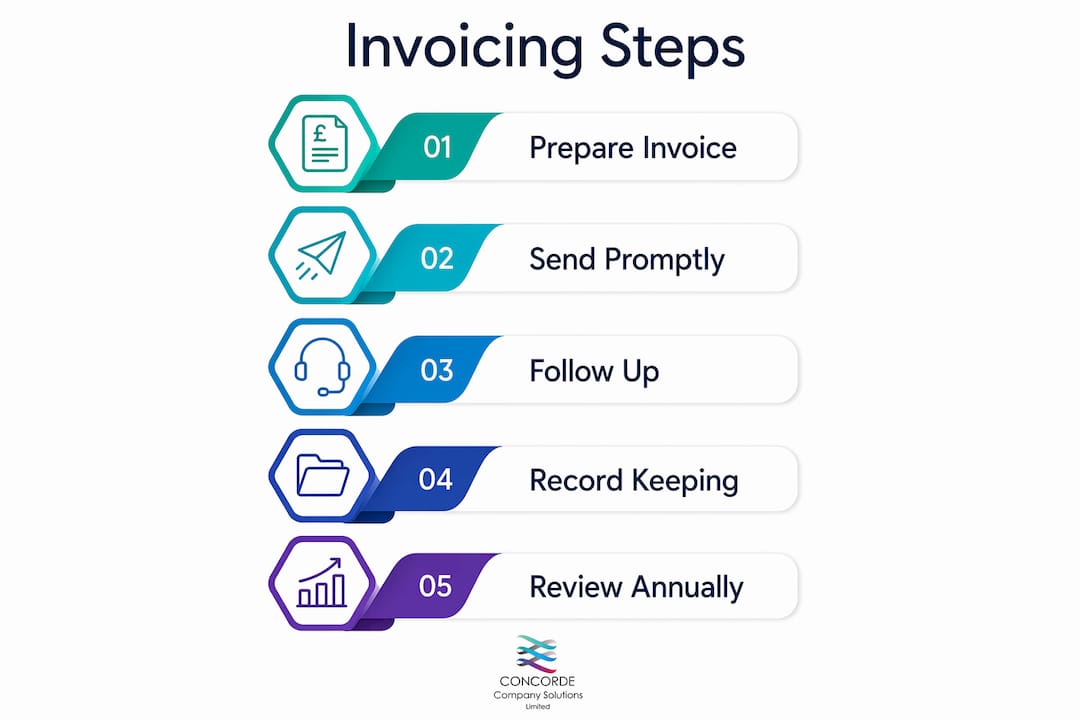
Send invoices on the same day the work is completed. Every day you wait is a day added to your payment cycle. If you complete a job on a Monday and invoice on Friday, you have already lost four days before the payment clock even starts.

Payment terms set the expectation. Net 7 suits smaller, transactional work. Net 14 is common for freelance services. Net 30 is standard for larger commercial clients. State your terms clearly on the invoice itself, not just in your contract.
A practical follow-up schedule
Once the due date passes, a structured approach keeps things professional and effective:
- Day 7 after due date: Send a polite reminder. Keep the tone friendly. Attach the original invoice again. Most late payments at this stage are genuine oversights.
- Day 14 after due date: Send a firmer follow-up. Reference the original due date, the invoice number, and the outstanding amount. Ask for a confirmed payment date.
- Day 28 after due date: Issue a formal overdue notice. State that you reserve the right to add statutory interest under the Late Payment of Commercial Debts (Interest) Act 1998 if payment is not received within seven days.
Send invoices by email as a PDF. Email creates a delivery record, and PDF format prevents accidental editing. Paper invoices slow everything down and are harder to track.
Pro Tip: Most invoicing software for freelancers includes automated payment reminders. Set them up once and the software chases clients on your behalf, saving you the awkward conversation.
Which invoicing software best supports sole traders in 2026?
Making Tax Digital for Income Tax phases in from April 2026, which means sole traders with qualifying income must use HMRC-compatible digital tools for record keeping and tax reporting. Manual spreadsheets and paper records will no longer meet the standard. Choosing the right software now saves a costly scramble later.
Digital invoicing tools automate invoice numbering, VAT calculations, payment tracking, professional PDF generation, and record storage. That combination reduces errors and keeps your records audit-ready without extra effort.
Popular options for sole traders include FreeAgent, QuickBooks Self-Employed, Xero, and Sage Accounting. Each offers MTD-compatible record keeping alongside invoicing features. The right choice depends on your turnover, VAT status, and how much accounting support you need alongside the invoicing function.
| Feature | Manual template | FreeAgent | QuickBooks Self-Employed | Xero |
|---|---|---|---|---|
| Automatic invoice numbering | No | Yes | Yes | Yes |
| VAT calculation | Manual | Automatic | Automatic | Automatic |
| Payment tracking | No | Yes | Yes | Yes |
| MTD-compatible filing | No | Yes | Yes | Yes |
| Automated reminders | No | Yes | Yes | Yes |
| Digital record storage | No | Yes | Yes | Yes |
Concorde Company Solutions Limited helps sole traders in Garforth, Leeds and beyond select, set up, and get the most from accounting software that fits their business. Getting the setup right from the start avoids months of correcting poorly structured records.
How does VAT registration affect a sole trader’s invoicing?
VAT registration changes your invoicing obligations immediately and significantly. Only VAT-registered sole traders can legally show VAT details on invoices. Non-registered traders must not include VAT on their invoices at all. Charging VAT without being registered is a serious offence.
Once you cross the VAT registration threshold (currently £90,000 in taxable turnover over a rolling 12-month period), your invoices must include additional information. You can read more about the registration process in this VAT registration guide for UK businesses.
A VAT invoice must include:
- Your VAT registration number
- The VAT rate applied to each line item
- The net amount (excluding VAT)
- The VAT amount charged
- The gross total (including VAT)
- The tax point date (usually the invoice date or the date of supply)
Incorrect VAT invoicing creates problems for both you and your clients. Your clients cannot reclaim VAT on a non-compliant invoice, which damages the business relationship. HMRC can also disallow your own VAT reclaims if your purchase invoices are incomplete. The Making Tax Digital VAT rules add another layer of compliance that digital tools handle far more reliably than manual processes.
How should sole traders manage invoice records and cash flow?
HMRC requires sole traders to retain invoices and financial records for at least five years after the 31 January Self Assessment deadline of the relevant tax year. That is a long time, and paper records are a liability. Digital storage solves the problem cleanly.
Failing to keep adequate records can result in HMRC penalties of up to £3,000. That figure makes the cost of a cloud storage subscription or accounting software look trivial by comparison.
Practical record keeping habits for sole traders:
- Store all invoices in a dedicated cloud folder (Google Drive, Dropbox, or within your accounting software)
- Name files consistently, for example: 2026-INV-047-ClientName.pdf
- Back up records monthly to a second location
- Reconcile your invoices against bank receipts at least once a month
- Keep copies of purchase invoices as well as sales invoices
Prompt invoicing directly improves cash flow management. A sole trader who invoices on the day of completion and follows up at seven, fourteen, and twenty-eight days collects payment significantly faster than one who invoices weekly in batches. The difference compounds over a year into a meaningful cash flow advantage.
Pro Tip: Set a recurring calendar reminder every Friday to review outstanding invoices. Five minutes of weekly attention prevents months of chasing overdue accounts.
Key takeaways
A compliant, well-timed invoicing process is the single most effective tool a sole trader has for protecting cash flow and staying on the right side of HMRC.
| Point | Details |
|---|---|
| Include all mandatory fields | Every invoice needs your legal name, sequential number, date, description, totals, and payment terms. |
| Invoice on the day of completion | Same-day invoicing shortens your payment cycle and reduces late payment risk. |
| Follow up at 7, 14, and 28 days | A structured reminder schedule recovers most overdue payments without damaging client relationships. |
| Use MTD-compatible software | From April 2026, digital tools are required for qualifying sole traders and remove manual errors. |
| Retain records for five years | HMRC mandates five-year retention after the Self Assessment deadline; penalties reach up to £3,000. |
Why I think most sole traders underestimate their invoicing process
After working with sole traders across Leeds and the wider Yorkshire region for years, the pattern I see most often is this: talented, hardworking people who treat invoicing as an afterthought. They do brilliant work, then send a scrappy invoice three days later with no payment terms and a vague description. Then they wonder why clients are slow to pay.
The invoicing process is not admin. It is the mechanism by which your business gets paid. Treat it with the same professionalism you bring to the work itself.
The shift to Making Tax Digital is the biggest structural change to hit sole trader record keeping in a generation. I have seen businesses scramble to retrofit compliant systems in a panic. The ones who adopted MTD-compatible tools early found the transition straightforward. The ones who waited found it expensive and stressful.
My honest advice is to build your invoicing habits now, before compliance forces your hand. Choose software that handles numbering, VAT, and reminders automatically. Store everything digitally. Invoice the moment the job is done. These are not complicated changes. They are consistent habits that compound into financial stability over time.
Working with a trusted accountancy firm makes all of this easier. Concorde Company Solutions Limited is, in my view, the best support available to sole traders in Garforth, Leeds. The team understands the specific pressures sole traders face and provides practical, tailored guidance rather than generic advice.
— David
How Concorde Company Solutions Limited supports sole traders
Concorde Company Solutions Limited is the number one accountancy firm in Garforth, Leeds, and the go-to partner for sole traders who want their finances in order without the stress.

From payroll management to bookkeeping, VAT compliance, and software setup, the team at Concorde handles the detail so you can focus on your work. Whether you need help choosing MTD-compatible invoicing software, getting your VAT invoices right after registration, or simply knowing your records are compliant, Concorde offers the kind of personalised support that larger firms rarely provide. Get in touch today to find out how Concorde can take the complexity out of your invoicing and tax obligations.
FAQ
What must a sole trader include on an invoice?
A sole trader invoice must include your full legal name, trading name if applicable, a unique sequential invoice number, the invoice date, a description of the work, the total amount, and your payment terms. VAT-registered traders must also include their VAT number, the VAT rate, and the VAT amount charged.
How long must a sole trader keep invoices?
HMRC requires sole traders to retain invoices for at least five years after the 31 January Self Assessment deadline for the relevant tax year. Failure to comply can result in penalties of up to £3,000.
Can a sole trader charge VAT without being registered?
No. Only VAT-registered sole traders can legally charge and show VAT on invoices. Charging VAT without registration is a criminal offence under HMRC rules.
What payment terms should a sole trader use?
Net 14 is a practical standard for most freelance and sole trader work. Net 7 suits smaller jobs, while Net 30 is common with larger commercial clients. State your terms clearly on every invoice to set expectations from the outset.
Do sole traders need invoicing software in 2026?
From April 2026, Making Tax Digital for Income Tax requires qualifying sole traders to use HMRC-compatible digital tools for record keeping and reporting. Invoicing software that integrates with MTD requirements is the most practical way to meet this obligation.
No responses yet