
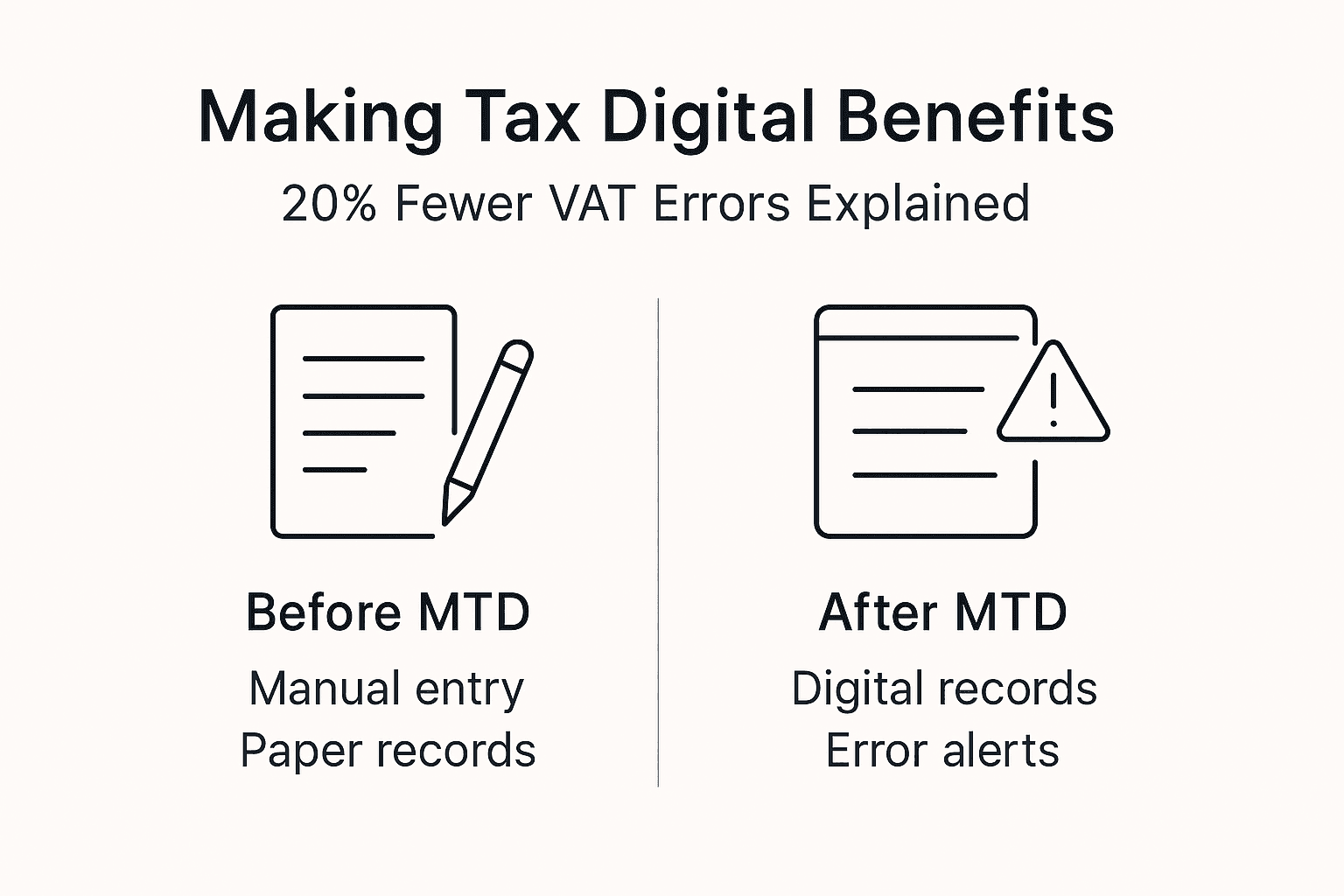
Making Tax Digital has transformed how UK businesses manage their tax obligations. VAT errors amongst UK businesses dropped by 20% within two years under Making Tax Digital, demonstrating that digital compliance improves accuracy rather than adding complexity. This guide explains what MTD means for your business, which taxes are covered, and how to comply efficiently with HMRC’s digital requirements.
Table of Contents
- Introduction To Making Tax Digital
- Which Taxes Are Covered By Making Tax Digital?
- Technical Requirements For Compliance
- Common Misconceptions And Challenges
- Choosing The Right Software And Tools For Your Business
- Real-World Examples And Best Practices
- Next Steps: Ensuring Ongoing Compliance And Efficiency
- How Concorde Company Solutions Can Support Your Digital Tax Journey
- FAQ
Key takeaways
| Point | Details |
|---|---|
| Mandatory scope | MTD requires VAT-registered businesses above £85,000 turnover and Income Tax Self Assessment filers to keep digital records and submit returns electronically. |
| Software requirement | You must use HMRC-approved software or bridging solutions to connect spreadsheets with HMRC systems. |
| Phased rollout | VAT became mandatory in 2019; Income Tax Self Assessment joined from April 2024; other taxes planned later. |
| Common misconceptions | MTD permits spreadsheet use via bridging software and improves efficiency after initial adaptation. |
| Compliance benefits | Digital record-keeping reduces errors, speeds submissions, and creates transparent audit trails. |
Introduction to making tax digital
Making Tax Digital represents the UK government’s shift towards modernising tax administration through digital technology. MTD requires UK VAT-registered businesses with taxable turnover above £85,000 to keep digital records and submit VAT returns using compatible software, marking a fundamental change in how tax obligations are managed.
The initiative launched in April 2019 for VAT-registered businesses and has since expanded. Its core goals centre on improving accuracy and compliance whilst reducing the administrative burden of manual tax processes. By requiring digital record-keeping and electronic submissions, MTD eliminates common errors from paper-based systems and handwritten entries.
HMRC designed MTD to create a more efficient tax system benefiting both businesses and government. The digital tax submission impact extends beyond compliance, offering real-time visibility into financial positions and streamlining year-end procedures.
Key features of Making Tax Digital include:
- Mandatory digital record-keeping for specified taxes
- Electronic submission through HMRC-compatible software
- API integration between business systems and HMRC
- Structured data formats replacing manual entries
- Regular digital reporting replacing annual paper submissions
The HMRC making tax digital VAT overview provides comprehensive details on requirements, deadlines, and exemptions. Understanding these fundamentals helps businesses prepare for compliance without unnecessary complications or costs.
Which taxes are covered by making tax digital?
MTD currently applies to specific taxes with a phased expansion plan. Income Tax Self Assessment became mandatorily included in Making Tax Digital from April 2024; VAT has been mandatory since April 2019, creating different timelines for different business structures.
VAT remains the most established MTD requirement. Businesses exceeding the £85,000 annual turnover threshold must maintain digital VAT records and submit returns through compatible software. This covers most medium-sized enterprises and many growing small businesses across the UK.

Income Tax Self Assessment now requires quarterly updates for sole traders and landlords with business or property income above £50,000 annually. These digital summaries replace the traditional annual self-assessment process, creating more frequent touchpoints with HMRC throughout the tax year.
| Tax type | MTD status | Threshold | Reporting frequency |
|---|---|---|---|
| VAT | Mandatory since 2019 | £85,000 turnover | Quarterly |
| Income Tax Self Assessment | Mandatory from April 2024 | £50,000 income | Quarterly updates plus annual declaration |
| Corporation Tax | Planned future rollout | To be confirmed | To be confirmed |
| Capital Gains Tax | Under consideration | To be confirmed | To be confirmed |
Future MTD expansion may include Corporation Tax and potentially Capital Gains Tax, though HMRC has not confirmed specific timelines. Businesses should monitor government announcements to prepare for additional requirements as they emerge.
The self assessment tax with MTD guide explains quarterly reporting obligations in detail. Understanding which taxes apply to your business structure ensures you meet all digital submission impact requirements without gaps.
Small businesses below current thresholds should still familiarise themselves with MTD principles. Voluntary adoption often proves beneficial even before mandatory requirements apply, and thresholds may lower as the system matures. Review MTD VAT guidance annually to confirm your obligations.
Technical requirements for compliance
Meeting MTD obligations requires specific technical capabilities. MTD requires the use of HMRC-approved software with API integration, and allows bridging software to link spreadsheets to HMRC systems, giving businesses flexibility in implementation approaches.
Digital records must be preserved in compatible formats for at least six years, matching standard bookkeeping retention requirements. These records need API connectivity to transmit data directly to HMRC without manual re-entry, ensuring data integrity throughout the submission process.
| Compliance element | Requirement | Options |
|---|---|---|
| Record format | Digital, API-compatible | Accounting software, bridging software with spreadsheets |
| Software approval | HMRC-approved list | Check current approved software directory |
| Data retention | Minimum 6 years | Cloud storage, local backups, or hybrid approach |
| Submission method | Direct API transmission | Automated from software, no manual portals |
Bridging software creates an intermediate solution for businesses preferring spreadsheets. These tools connect Excel or similar programmes to HMRC’s systems, extracting data and formatting it for compliant submission. This approach suits sole traders and small operations with straightforward tax affairs.
Fully integrated accounting suites offer comprehensive solutions combining bookkeeping, invoicing, and tax submissions in one platform. Larger businesses or those with complex transactions typically benefit from these packages through automation and reduced duplicate entry.
Compliance implementation follows a structured process:
- Assess your tax obligations and thresholds under MTD
- Select appropriate software from HMRC’s approved list
- Configure digital record-keeping systems and data flows
- Test submissions with sample data before live reporting
- Establish regular backup and verification routines
- Train staff on new processes and software functions
Pro Tip: Verify your chosen software appears on HMRC’s current approved list before purchasing, as approval status can change. The list updates regularly with new products and occasional removals.
The updating accounting software guide covers migration strategies. Proper importance of bookkeeping practices form the foundation for MTD compliance, making accurate digital records possible.
Consult HMRC software requirements for technical specifications and compatibility details. Understanding these requirements early prevents costly system changes later.
Common misconceptions and challenges
Many business owners hold incorrect assumptions about MTD that create unnecessary concern. Many believe MTD applies to all taxes immediately and eliminates spreadsheets, but actually it is phased and permits bridging software, clarifying two major misconceptions.
The belief that MTD forces expensive accounting software purchases overlooks bridging solutions. Businesses successfully using Excel can continue doing so by adding bridging software to connect spreadsheets with HMRC. This preserves familiar workflows whilst achieving compliance.
Another common worry suggests MTD increases complexity and workload. Initial setup requires effort, but many small businesses report improved efficiency after adaptation. Digital systems reduce time spent on manual calculations, data entry, and error correction throughout the tax year.
Key misconceptions include:
- MTD eliminates spreadsheet use entirely (false: bridging software permits continued spreadsheet workflows)
- All taxes fall under MTD immediately (false: phased rollout by tax type and threshold)
- Compliance requires expensive enterprise software (false: bridging options and affordable cloud solutions exist)
- Digital submission creates more work (mixed: initial setup takes time, but ongoing processes often streamline)
- HMRC strictly penalises any mistakes (nuanced: support-focused approach initially, with penalties for persistent non-compliance)
Real challenges centre on selecting appropriate software and adjusting bookkeeping routines. Businesses accustomed to year-end accounting must shift towards regular, consistent record-keeping throughout the year. This cultural change proves more significant than technical requirements for many organisations.
Pro Tip: Start MTD preparation six months before your mandatory compliance date. This timeline allows proper software evaluation, staff training, and process adjustment without deadline pressure.
Penalty concerns deserve measured perspective. HMRC focuses on supporting compliance rather than immediate punishment for errors. The HMRC enforcement realities demonstrate balanced approaches combining guidance with enforcement.
Small businesses benefit from viewing MTD as modernisation rather than burden. Digital records improve financial visibility, speed up decision-making, and simplify collaboration with accountants throughout the year instead of during year-end crunches.
Choosing the right software and tools for your business
Software selection significantly impacts MTD compliance success. Choosing software compatible with HMRC’s API is critical; bridging software suits sole traders whilst integrated suites benefit more complex businesses, highlighting the importance of matching tools to business needs.
Bridging software connects existing spreadsheets to HMRC systems, preserving familiar workflows. These tools typically cost less than full accounting packages and require minimal learning curve for spreadsheet-proficient users. However, they offer limited additional functionality beyond compliance.
Integrated accounting suites combine bookkeeping, invoicing, payroll, and tax compliance in unified platforms. These systems automate data flows, reduce duplicate entry, and provide comprehensive financial reporting. The higher cost and learning investment pay dividends for businesses with complex operations or growth plans.
| Consideration | Bridging software | Integrated accounting suite |
|---|---|---|
| Best for | Sole traders, simple VAT affairs | Limited companies, multiple revenue streams |
| Typical cost | £5-15 monthly | £20-50+ monthly |
| Learning curve | Minimal if spreadsheet-familiar | Moderate, requires training |
| Additional features | Basic compliance only | Invoicing, reporting, inventory, payroll integration |
| Scalability | Limited | Grows with business |
Prioritise these features when evaluating options:
- Current HMRC approval status and active API integration
- Compatibility with your existing systems and workflows
- User interface clarity and learning resources quality
- Customer support availability and responsiveness
- Pricing structure aligned with your budget and business size
- Mobile access if you manage finances remotely
- Multi-user capability for businesses with accounting staff
Sole traders with straightforward income and expenses typically find bridging software sufficient. Limited companies managing inventory, multiple revenue streams, or employees benefit from integrated platforms that automate complex calculations and reporting.
Consider future needs alongside current requirements. Software migration creates disruption, so choosing scalable solutions prevents repeated transitions as your business grows. The accounting software update guide helps evaluate upgrade timing.
Trial periods let you test interfaces and workflows before committing. Most providers offer 30-day trials or money-back guarantees. Use these opportunities to verify compatibility with your bookkeeping essentials and daily routines.
Professional advice proves valuable during software selection. Accountants familiar with various platforms can recommend solutions matching your specific tax obligations, transaction volumes, and technical capabilities.
Real-world examples and best practices
Practical experience demonstrates MTD’s tangible benefits. A Leeds-based retail business reduced VAT errors by 15% within six months of adopting integrated MTD software, saving penalty costs and administrative time previously spent correcting mistakes.
This retailer previously relied on manual spreadsheet entries transferred to paper VAT returns. Transcription errors and calculation mistakes created regular discrepancies requiring time-consuming reconciliation. Automated MTD software eliminated re-entry, pulling transaction data directly from point-of-sale systems.
Common pitfalls to avoid:
- Delaying software adoption until deadline pressure forces rushed decisions
- Failing to verify HMRC approval status before purchasing software
- Neglecting staff training on new digital processes
- Skipping regular data backups and security measures
- Ignoring software updates that improve functionality or fix compliance issues
Best practices for maintaining digital audit trails include automated cloud backups, version control for financial records, and clear documentation of any manual adjustments. These habits protect against data loss whilst creating transparent histories for potential HMRC reviews.
Pro Tip: Schedule monthly reviews of your digital records even if submissions are quarterly. Regular checks catch errors early when corrections are simpler and less disruptive.
Successful MTD adoption combines technical compliance with cultural adjustment. Businesses that train staff thoroughly, establish clear data entry standards, and review processes regularly achieve smoother transitions and better long-term outcomes.
The bookkeeping best practices guide provides detailed record-keeping standards. Understanding examples of bookkeeping records clarifies what documentation MTD requires.
Benefits extend beyond compliance. Digital systems accelerate period-end processes, improve cash flow visibility, and simplify collaboration with accountants who can access real-time data rather than waiting for year-end information dumps.
Next steps: ensuring ongoing compliance and efficiency
Implementing MTD successfully requires methodical planning and execution. Follow these steps to establish compliant processes:
- Determine whether your business meets MTD thresholds for VAT (£85,000 turnover) or Income Tax Self Assessment (£50,000 income)
- Register for Making Tax Digital through your HMRC online account if you meet mandatory criteria
- Select and purchase HMRC-approved software matching your business complexity and budget
- Configure your bookkeeping systems for digital record-keeping with proper categorisation and retention
- Submit VAT returns quarterly and Income Tax updates as required through your software’s API connection
- Maintain digital records for six years with regular backups and security measures
Support resources ease the transition. HMRC provides comprehensive guidance, webinars, and helplines for technical questions. Professional accountants offer tailored advice addressing your specific circumstances and can manage submissions on your behalf.
The importance of filing tax returns correctly under MTD cannot be overstated. Digital submissions create permanent records and penalties for errors can accumulate. Proper self assessment compliance protects your business.
Ongoing compliance routines to establish:
- Weekly transaction recording preventing year-end data entry marathons
- Monthly bank reconciliation catching discrepancies early
- Quarterly submission preparation and review before deadlines
- Annual software updates and security patches
- Periodic staff training refreshers on processes and new features
- Regular consultation with accountants on complex transactions or rule changes
MTD compliance becomes routine with consistent habits. Businesses that integrate digital record-keeping into daily operations find submissions straightforward rather than stressful. The initial adjustment period typically lasts three to six months before new processes feel natural.
Monitor HMRC announcements for threshold changes, new tax inclusions, or requirement updates. MTD continues evolving as the government expands digital tax administration, so staying informed prevents compliance gaps.
How Concorde company solutions can support your digital tax journey
Navigating Making Tax Digital requirements becomes simpler with expert guidance. Concorde Company Solutions provides specialised support helping businesses select accountancy software matched to their specific needs and budget constraints.

Our bookkeeping services ensure your digital records meet HMRC standards whilst maintaining accuracy throughout the year. We handle technical configuration, staff training, and ongoing compliance monitoring so you can focus on running your business.
Based in Garforth serving Leeds and surrounding areas, we offer personalised local accountancy support combining MTD expertise with deep understanding of regional business needs. Our team stays current on requirement changes, software updates, and best practices to keep your compliance effortless and efficient.
FAQ
What is making tax digital and who must comply?
Making Tax Digital is a UK government initiative requiring certain businesses to maintain digital records and submit tax returns electronically through HMRC-approved software. Currently, VAT-registered businesses with turnover above £85,000 and Income Tax Self Assessment filers with business or property income exceeding £50,000 must comply.
Can I use spreadsheets for MTD compliance?
Yes, you can continue using spreadsheets if you connect them to HMRC through bridging software approved for Making Tax Digital. This approach allows compliance whilst preserving familiar workflows for businesses comfortable with spreadsheet-based bookkeeping.
What penalties apply for non-compliance with making tax digital?
HMRC may impose penalties for late or incorrect digital submissions under MTD rules, similar to traditional tax return penalties. However, enforcement focuses on supporting businesses through the transition with guidance before applying fines for persistent non-compliance.
Where can I find support for making tax digital?
The HMRC official website provides comprehensive MTD guidance, approved software lists, and technical specifications for compliance. Professional accountancy firms like Concorde Company Solutions offer tailored assistance including software selection, implementation support, and ongoing compliance management.
Recommended
- Digital Tax Submission: Impact on UK Businesses
- Tax Trends in 2025 – What Leeds Businesses Must Know
- Tax Deadlines 2025: Critical Dates for UK Businesses
- 7 Essential Tax Return Tips 2025 for UK Small Businesses
- Cleaning Business Automation in 2026: What’s New in ConvertLabs (Booking, Payments, iCal + AI)
No responses yet